
I know the feeling of staring at the ceiling at 2 AM, wondering if you locked the back door or what that strange noise was in the driveway. Peace of mind is priceless, but in the world of home security, it often comes with a hefty price tag and a monthly subscription that bleeds you dry.
You are here because you’ve seen the Tapo cameras listed for impossibly low prices—sometimes under $30—and you are skeptical. Can a camera cheaper than a takeout dinner actually protect your home?
I have spent the last few years testing everything from high-end Arlo systems to budget-bin generics, and I was just as curious about TP-Link’s Tapo line. In this review, I am going to walk you through the reality of owning these devices, specifically focusing on the popular Pan/Tilt models like the C200 and C210.
The short answer? These are the best value-for-money cameras on the market right now if you want to avoid mandatory subscriptions. You can grab them on Amazon or check the TP-Link official store for the latest bundles.
My Experience With Tapo Security Cameras
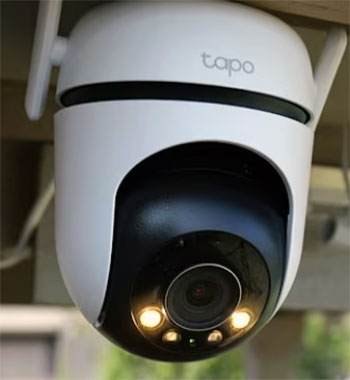
I started my journey with the Tapo C210 Pan/Tilt camera because I needed a baby monitor that didn’t cost $200.
I wasn’t expecting much. The packaging was compact and simple, typical of TP-Link products. Inside,
I found the camera, a power adapter (with a decently long cable, thankfully), and a mounting plate.
Setting it up was shockingly fast. I downloaded the Tapo app, plugged the camera in, and within three minutes, it was connected to my Wi-Fi.
The camera voice prompts guide you through the process, so you aren’t left guessing what the flashing LED lights mean. I placed it on a shelf in the nursery, inserted a 128GB microSD card I had lying around, and formatted it through the app.
The first time I opened the live feed, I was genuinely surprised by the 2K resolution. It was sharp—sharper than my older Ring Stick Up Cam. I could clearly see the pattern on the crib sheets. But the real test was night vision. When the lights went out, the IR sensors kicked in with an audible click. The black-and-white image was crisp, and I could see across the entire room without that grainy “ghost hunter” look you get with cheap sensors.
One feature I used constantly was the Pan/Tilt function. Being able to swipe on my phone screen and physically rotate the camera 360 degrees is incredibly empowering. I could look at the crib, then pan over to check the window, then pan down to check the floor. It effectively eliminates blind spots.
Over the last six months, I have moved this camera to my living room to watch my dog while I am at work. The “Two-Way Audio” is a bit tinny—my dog definitely looked confused rather than comforted when I spoke through it—but it works for startling an intruder or telling a pet to get off the couch.
The motion detection is sensitive; initially, it was too sensitive, alerting me every time a cloud shifted the lighting in the room. However, once I adjusted the “Activity Zones” in the app to only watch the entryways, it became a reliable sentry. The best part? I haven’t paid a single cent in subscription fees, and I have weeks of 24/7 footage stored right on the card.
Pros Of Tapo Security Cameras
- Local Storage Means No Monthly Fees: This is the absolute biggest selling point. Unlike Ring or Nest, which essentially force you into a monthly subscription to see any useful footage, Tapo allows you to record everything locally. There is a slot on the back of the camera for a microSD card (usually supporting up to 256GB or even 512GB on newer models). This means you can record 24/7 continuously, not just motion events. You own your footage. If the internet goes down, the camera keeps recording. For anyone tired of “subscription fatigue,” this feature alone makes Tapo a winner.
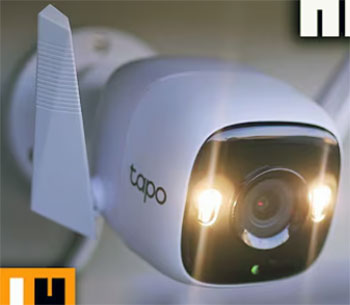
- Incredible Video Quality For The Price: It is rare to find 2K (3MP) resolution in the sub-$40 price bracket. Most competitors are still stuck on 1080p. The clarity on the C210 and C320WS models is fantastic. You can zoom in on the footage and actually read text on a box or identify a face clearly. The daytime colors are vibrant and accurate, not washed out. Even the night vision is superior to many cameras double the price. The “Starlight” sensor on their outdoor models allows for color night vision even in very low light, which provides much more detail than standard black-and-white infrared.
- The App Is Fast And User-Friendly: Hardware is only half the battle; a bad app can ruin a good camera. The Tapo app is surprisingly polished. It loads the live feed almost instantly—there is very little buffering lag compared to some cloud-heavy competitors. The interface is intuitive: big buttons for “Talk,” “Pan & Tilt,” and “Playback.” Scrubbing through the timeline to find a specific event is smooth. You can also view up to 32 cameras on one screen within the app if you go crazy and outfit your whole house. It just works, without crashing or freezing.
- Smart AI Detection Is Free: Many companies charge extra for “Person Detection” or “Baby Crying Detection.” Tapo includes on-device AI detection for free on most models. The camera can distinguish between general motion (like a curtain blowing) and a person walking into the frame. This drastically reduces the number of false alarms buzzing your phone. If you have the camera set up as a baby monitor, the “Baby Crying” detection is a godsend. It alerts you specifically to the sound of distress, adding an extra layer of safety to your home.
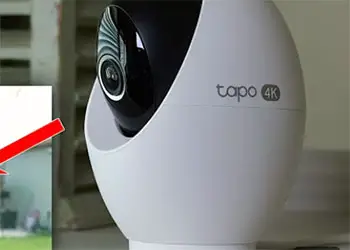
- Flexible Privacy Modes: We are all a bit paranoid about having cameras inside our homes, and rightly so. Tapo includes a “Privacy Mode” button in the app. When you tap this, the camera doesn’t just turn off the feed; on the Pan/Tilt models, the lens physically rotates down and tucks itself into the casing. You can visually see that the camera cannot watch you. It provides a physical assurance that your privacy is protected when you are home and don’t need to be recorded.
Cons Of Tapo Security Cameras
- Wired Power Limits Placement: Most of the popular Tapo cameras (like the C200, C210, C100) are not battery-powered. They must be plugged into a standard wall outlet. The included cable is decent (about 9-10 feet), but this restricts where you can mount them. If you want to put a camera in the corner of the ceiling or outside above the garage, you have to figure out how to run power to that spot. While they do have newer battery models (like the C420), the core lineup is tethered. This makes them less flexible than a fully wireless Arlo or Blink setup.
- Sensitivity Can Be Finicky: While the AI detection is good, it isn’t perfect. Out of the box, the motion sensitivity can be aggressive. You might get alerts for dust motes floating past the IR lens at night or car headlights sweeping across the wall. You will need to spend some time tweaking the sensitivity sliders and setting up “Activity Zones” to stop your phone from blowing up. It is not a “set it and forget it” system immediately; it requires a bit of calibration to get the balance right between security and annoyance.
- No Native Desktop App: This is a frustration for power users. There is no official Tapo app for Windows or Mac. If you want to view your cameras on your computer monitor while you work, you have to jump through hoops. You either have to use an Android emulator (like BlueStacks) or set up a convoluted RTSP stream to a media player like VLC. While the RTSP support is a “Pro” for techies, the lack of a simple “click and view” desktop program is a missing feature for the average user who wants a command center on their PC.
- Clip Length Limitations On Free Cloud: If you choose not to use an SD card and rely only on the free tier of cloud alerts, the functionality is severely limited. You might only get a snapshot or a very short clip, and there is a “cool down” period between notifications. TP-Link pushes their “Tapo Care” subscription service for cloud storage and rich notifications. Without an SD card, the camera feels crippled. You effectively must buy a microSD card to unlock the camera’s full potential without paying a monthly fee.
- Privacy And Data Concerns: As with many affordable tech products, Tapo is a sub-brand of TP-Link, a Chinese company. While they use AWS (Amazon Web Services) for their cloud infrastructure in many regions, some users are uncomfortable with the potential for data handling or firmware backdoors. While there have been no major proven scandals with Tapo specifically, the geopolitical concern remains for some privacy-focused buyers. If you work in a sensitive government job, you might be required to avoid brands with these origins.
Maintenance Tips For Tapo Security Cameras
- Manage Your SD Card Health: The microSD card is the heart of your local recording, and it takes a beating. Writing data 24/7 wears out flash memory over time. I recommend checking the “Memory Card Status” in the app once a month. If you see read/write errors, it’s time to replace the card. To prolong the life of the card, don’t buy the cheapest generic brand you can find. Invest in a “High Endurance” card (like Samsung Pro Endurance or SanDisk High Endurance) specifically designed for security cameras and dashcams. These are built to handle the constant overwriting of data.
- Clean The Lens Regularly: This is especially important for outdoor cameras or cameras in dusty rooms. Over time, a thin layer of dust or grease will settle on the lens. You might not notice it during the day, but at night, the infrared light will reflect off this dust, causing “foggy” or “milky” footage. It looks like a ghost is blocking the view. Wipe the lens gently with a microfiber cloth (like you use for glasses) every few months. If the camera is outside, check for spiderwebs; spiders love the warmth of the IR lights and will build webs right across the lens.
- Update Firmware Promptly: TP-Link releases firmware updates fairly regularly to patch security vulnerabilities and improve features. When you open the app and see a red dot on the “Me” tab or the camera settings, do not ignore it. These updates often fix connection stability issues or improve the AI detection algorithms. However, a pro tip: don’t update the firmware during a thunderstorm or if your power is unstable. If the power cuts out during an update, you can “brick” the camera, rendering it useless.
- Check Your Wi-Fi Signal Strength: If your camera keeps going offline or the video stutters, it is rarely the camera’s fault—it is usually the Wi-Fi. In the Tapo app, go to Device Settings and check the “RSSI” (Received Signal Strength Indicator). If the signal is weak (usually -70 dBm or lower), try moving the camera closer to the router or investing in a Wi-Fi extender. Security cameras are data-heavy; they need a strong, stable connection to upload that live stream. Keeping the path between the camera and router clear of thick concrete walls or metal appliances helps significantly.
- Positioning To Avoid Glare: Where you place the camera matters for longevity and performance. Never point the camera directly at a window if you want to use it at night. The IR light will reflect off the glass and blind the camera, leaving you with a reflection of the lens and a black screen beyond the window. Also, avoid placing outdoor cameras under deep eaves where the IR light hits the wall immediately next to the lens. This causes “IR blowout,” where the wall is super bright and the rest of the yard is pitch black. Angle it slightly away from nearby walls.
Read more: My Experience With Defend Cellular Security Camera
Comparison with Other Brands
- Tapo vs. Wyze:Wyze is the most direct competitor to Tapo. Both offer incredibly cheap hardware. However, the tide has turned in Tapo’s favor recently. Wyze has increasingly locked basic features (like person detection and usable clip lengths) behind their “Cam Plus” subscription. Tapo still offers robust local storage and on-device AI detection without forcing a monthly fee. Wyze cameras often have better integration with third-party smart home devices, but their app has become cluttered with upsells. If you want a strictly “no subscription” experience, Tapo is the cleaner choice today.
- Tapo vs. Eufy:Eufy positions itself as a premium security option that also focuses on local storage. Their cameras are generally more expensive than Tapo—often double or triple the price. Eufy cameras often require a “HomeBase” hub for the best experience, whereas Tapo cameras connect directly to Wi-Fi. Eufy’s video quality is comparable, but their object detection is slightly more advanced. However, Eufy suffered a major PR hit regarding privacy and unencrypted streams recently. Tapo is the better budget pick; Eufy is better if you want a whole-home ecosystem with doorbells and locks that all talk to a central hub.
- Tapo vs. Ring:This is a battle of philosophies. Ring (owned by Amazon) is a “walled garden.” Their hardware is expensive, and the cameras are practically useless without the $4-$10 monthly subscription. You cannot record 24/7 locally on a Ring camera. Tapo is the antithesis of this. Tapo gives you freedom and local control. Ring has a better “neighborhood watch” community app and polished integration with Echo Show devices, but you will pay hundreds of dollars more over the life of the product in fees. If you hate monthly bills, choose Tapo.
- Tapo vs. Blink:Blink (also Amazon-owned) is famous for its battery life. If you need a camera to stick on a tree at the edge of your property where there is no power outlet, Blink is the winner because their batteries last up to two years. However, Blink’s video quality is generally lower (often 1080p with poor bitrates), and the app is clunky. Tapo wired cameras offer vastly superior video quality and 24/7 recording, which Blink cannot do (Blink only records short clips). Choose Blink for battery life; choose Tapo for performance and continuous monitoring.
Frequently Asked Questions (FAQ)
No, you do not. This is the best feature of the Tapo ecosystem. You can insert a microSD card into the camera and get full 24/7 recording, playback, and AI detection features without paying a monthly fee. The “Tapo Care” subscription is optional and only adds cloud storage and “rich notifications” (snapshots in the notification bar).
Yes, but only if you use a microSD card. Once you insert the card, you can go into the settings and enable “Continuous Recording.” The camera will loop record, automatically overwriting the oldest footage when the card is full. A 128GB card can typically hold 2-3 weeks of continuous 2K footage.
Yes. You can link your Tapo account to Amazon Alexa or Google Assistant. This allows you to say commands like “Alexa, show me the nursery camera,” and the live feed will appear on your Echo Show, Fire TV, or Google Nest Hub. It is a very convenient feature for hands-free monitoring.
This depends on the specific model, but most modern Tapo cameras (like the C210, C310, C320WS) support up to 256GB microSD cards. Some newer models even support up to 512GB. Always check the specific spec sheet for your model, but generally, a 128GB or 256GB card is the sweet spot for value and capacity.
Conclusion
So, are Tapo security cameras worth it? If you are looking for a high-performance security solution that respects your wallet, the answer is an absolute yes. They offer a rare combination of excellent 2K video quality, reliable local storage, and a user-friendly app without the predatory subscription models that plague the industry.
While they may lack the battery-powered flexibility of Blink or the high-end polish of Arlo, they destroy the competition in terms of pure value. For protecting your living room, nursery, or garage on a budget, you simply cannot do better. You can grab your set directly from the TP-Link store or find the best deals on Amazon.