
I have worn both the Dexcom Stelo and Abbott Lingo continuous glucose monitors over the past months, and I want to share my honest thoughts on which one stands out as the better choice for most people interested in tracking their glucose levels without a prescription. As someone focused on metabolic health, understanding how food, exercise, sleep, and stress affect my daily energy, I tried these two over-the-counter CGMs to see real differences in accuracy, app experience, features, and overall value. In this article, I compare them head-to-head so you can decide which fits your lifestyle best.
A Brief Comparison Table
| Feature | Dexcom Stelo | Abbott Lingo |
| Sensor Wear Time | Up to 15 days | Up to 14 days |
| Warm-up Time | 30 minutes | 60 minutes |
| Glucose Readings Frequency | Every 15 minutes | Every minute |
| Accuracy Claim | Around 93% vs lab reference | High, with better spike detection in user reports |
| Real-time Alerts | No alerts or alarms | No alerts, but more coaching insights |
| App Focus | Basic trends and patterns | Educational coaching, biowearable insights |
| Subscription/Pricing | $89–$99 per month (subscription lower) | Often $49–$99 per month, flexible options |
| Target User | Non-diabetics optimizing health | People without diabetes for metabolic health |
| Water Resistance | Yes, swim-proof | Yes, water-resistant |
My Experience With Dexcom Stelo
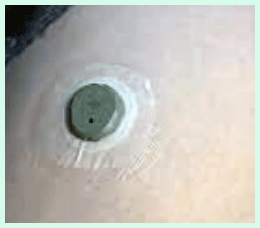
I started with Stelo because of Dexcom’s strong reputation in the CGM world. Applying the first sensor felt straightforward—the applicator clicked into place painlessly, and after the short 30-minute warm-up, readings appeared reliably.
Over the 15 days, I noticed how my morning coffee spiked me mildly, but adding a walk flattened the curve nicely.
The app showed clear daily graphs, making it easy to see patterns without confusion. No alarms meant I checked manually, which encouraged mindfulness about meals.
Accuracy held up well against occasional fingersticks I did for verification. Skin stayed mostly comfortable, though one sensor left faint marks that faded fast.
Subscription pricing made reordering simple, and I appreciated the no-prescription freedom as a non-diabetic user focused on energy optimization.
Overall, it gave solid insights into how lifestyle tweaks stabilized my levels, though I wished for more guided coaching.
Pros Of Dexcom Stelo
- Longer sensor life gives more consistent tracking : The 15-day wear time means fewer changes overall compared to many competitors, so I spent less time applying new sensors and more time gathering data on my habits.
- Quick warm-up gets you started faster : Only 30 minutes before readings begin, which felt convenient when I wanted to apply it in the morning and see results by lunchtime without much delay.
- Strong accuracy foundation from proven tech : Built on the Dexcom G7 platform, it delivered reliable readings that matched fingerstick checks closely in my experience, especially during steady states.
- Simple, no-fuss app interface : The Stelo app keeps things straightforward with clear graphs of daily trends, helping me spot patterns like post-meal rises without overwhelming extras.
- Subscription model saves money long-term : At $89 per month on auto-ship, it became predictable and cheaper than one-time buys, making ongoing use feel sustainable.
- Proven brand reliability in CGM space : Dexcom has years of experience with prescription models, so the Stelo felt like a trusted extension rather than something experimental.
- Easy application process : The applicator made it painless and quick to place on my upper arm, with minimal skin irritation even after multiple sensors.
- Good integration with health apps : It synced well with my phone’s health data, letting me correlate glucose with steps or sleep without manual entry.
- No prescription barrier : Being over-the-counter opened it up for me as a non-diabetic user curious about metabolic responses.
- Solid water resistance for daily life : I swam and showered without issues, and the sensor stayed secure through workouts and daily routines.
- Helpful trend insights : The app highlighted how certain foods spiked me, encouraging small tweaks like adding protein to meals for steadier levels.
- Minimal calibration needed : No fingersticks required once applied, which removed hassle and made tracking feel effortless.
- Focus on non-diabetic users : Designed specifically for people like me optimizing wellness rather than managing a condition, so the tone matched my goals perfectly.
Cons Of Dexcom Stelo

- No real-time alerts for highs or lows : Without alarms, I sometimes missed rapid changes if I wasn’t checking the app frequently.
- Slower sampling rate misses quick spikes : Readings every 15 minutes meant fast-rising peaks from meals could get smoothed over or underreported compared to minute-by-minute options.
- Limited educational coaching : The app provides trends but lacks in-depth guidance or personalized tips, so I had to interpret data myself.
- Higher monthly cost on average : Even with subscription discounts, it ran closer to $89–$99, which added up over months compared to some flexible alternatives.
- Cap on displayed highs : Glucose above certain levels (around 250 mg/dL) may not show full detail, limiting visibility during bigger spikes.
- App feels basic for advanced users : If you want deep analysis or gamified insights, it can seem too stripped down.
- Subscription commitment : While saving money, it locks you in unless you pause, which felt restrictive at times.
- Occasional connectivity hiccups : Bluetooth drops happened rarely but interrupted real-time viewing.
- Less focus on lifestyle coaching : Unlike some rivals, it doesn’t push behavioral changes as aggressively through the interface.
- Potential skin irritation after long wear : A few sensors left mild redness, though it resolved quickly.
- No sharing features for family : Limited options to share data easily with others.
- Warm-up still requires patience : 30 minutes isn’t instant, so planning application
Also read: Comparison of Smart Mouth And Therabreath
Maintenance Tips For Dexcom Stelo
- Apply on clean, dry skin for best adhesion : I always wiped my upper arm with alcohol and let it dry fully to prevent early detachment.
- Choose the right placement spot : Back of the upper arm worked best for me, avoiding areas with lots of movement or pressure from sleeping.
- Avoid lotions or oils before application : These reduced stickiness, so I skipped moisturizer on that arm for 24 hours prior.
- Check sensor daily for security : A quick glance ensured it hadn’t shifted, especially after exercise or showers.
- Keep your phone nearby for consistent readings : Bluetooth range mattered, so I avoided leaving my phone too far to prevent data gaps.
- Remove gently with adhesive remover if needed : This minimized skin pull and residue when the 15 days ended.
- Store unused sensors at room temperature : Extreme heat or cold could affect performance, so I kept them in a drawer away from windows.
- Pair immediately after application : Following app prompts right away avoided setup issues.
- Restart app if readings lag : A quick force-close and reopen fixed occasional sync problems.
- Track patterns in notes app alongside : Since the main app is simple, I jotted food/exercise notes to cross-reference later.
- Rotate arms between sensors : Alternating sides prevented irritation buildup over months.
- Update app regularly : New versions often improved connectivity and features.
My Experience With Abbott Lingo

Switching to Lingo felt refreshing with its minute-by-minute updates that caught every little fluctuation—spikes from a sugary snack showed up immediately, unlike the smoother Stelo curves.
The app stood out with coaching prompts suggesting swaps like nuts over chips based on my reactions. Warm-up took a full hour, but once going, data streamed smoothly.
The biosensor design was discreet on my arm, and water resistance handled showers fine. Insights into sleep and stress impacts on glucose surprised me positively.
Pricing felt more flexible without strict subscription pressure. Accuracy seemed sharp for real-time changes, helping me adjust habits faster. Mild irritation occurred rarely, but overall comfort was high. The educational focus made learning fun rather than just data viewing.
Pros Of Lingo
- Every-minute glucose readings: The sensor samples constantly and updates the app every minute, letting me catch quick spikes from a sugary treat or fast drops after a workout that smoother intervals might miss completely.
- Personalized coaching built right in: The app analyzes my patterns and gives tailored tips, like suggesting more protein with carbs to blunt a spike or walking after meals; it feels like having a mini nutrition coach on my phone.
- Clear spike highlighting and explanations: When my glucose jumps, it flags it immediately with color-coded zones and often links it to what I ate or did, helping me connect dots without guessing.
- Motivational wellness features: I earn badges for stable days, see metabolic scores, and get encouragement that turns tracking into something engaging rather than clinical.
- Discreet and comfortable design: The small circular biosensor sits flat on my upper arm, barely noticeable under clothes, and doesn’t snag during daily movement or sleep.
- Excellent adhesion for full wear period: In my use, it stayed secure through showers, workouts, sweat, and even humid weather without peeling early.
- No prescription barrier: Anyone over 18 can buy it OTC, making it simple to start experimenting with glucose awareness for better energy or weight goals.
- Focus on habit building: It emphasizes long-term metabolic health, showing how consistent choices lower average spikes and improve stability over time.
- Real-time feedback loop: Seeing the impact of a food choice within minutes encourages immediate tweaks, like choosing berries over banana for breakfast.
- HSA/FSA eligible in many cases: This helps offset costs if you’re using it for wellness, and subscription packs often make it more affordable ongoing.
- Smooth app experience on iOS and Android: Recent updates expanded compatibility, with clean visuals, easy event tagging, and summaries that don’t overwhelm.
- Helps identify hidden triggers: I discovered stress or poor sleep raised my levels even without food, leading to better recovery habits.
- No constant alarms for non-diabetics: It notifies spikes gently without medical urgency tones, keeping things calm while still informative.
- Supports active lifestyle tracking: Pairs well with exercise logs, showing how different intensities affect glucose recovery.
- Encourages balanced eating: Over weeks, it nudged me toward meals with lower glycemic impact without feeling restrictive.
Cons Of Lingo
- One-hour warm-up delay: Each new sensor takes a full hour to start showing data, so I lose that initial window of tracking after application.
- 14-day wear limit: Shorter than some competitors’ 15 days, meaning I swap sensors more often and deal with application slightly more frequently.
- Potential for information overload: The frequent updates and coaching notes can feel busy at first, especially if I’m not ready to act on every suggestion.
- Spike focus might highlight minor fluctuations: Normal post-meal rises get called out as spikes sometimes, which can cause unnecessary worry for beginners.
- Subscription model pressure: While flexible, buying in packs or subscribing feels pushed, and single sensors cost more without commitment.
- App learning phase: Navigating insights, scores, and history takes a few days to feel intuitive compared to simpler apps.
- No low-glucose alerts: Designed for wellness, so it won’t warn if levels dip unusually low, though rare for non-diabetics.
- Slight insertion sensation: Most times painless, but occasionally a quick pinch or mild sting during application varies by spot.
- Limited third-party integrations: Doesn’t sync seamlessly with every fitness tracker or app ecosystem yet.
- Cost adds up over months: At wellness pricing, regular use gets expensive without insurance coverage.
- Data can show more noise: Granular minute-by-minute view reveals tiny wiggles that broader sampling smooths out, sometimes distracting.
- Sensor visibility under tight sleeves: The circular shape bulges a bit more noticeably than flatter designs in fitted clothing.
- Occasional Bluetooth hiccups: If phone is too far, readings pause briefly until reconnection.
- Not for medical management: Explicitly wellness-focused, so anyone needing precise diabetes control should look elsewhere.
Read more: Comparison of 2 Mucinex Fast Max And Mucinex DM
Maintenance Tips For Lingo
- Pick the ideal arm spot: Go for the fatty back or outer upper arm area, avoiding muscle-heavy or bony zones for comfort and steady signal.
- Clean skin meticulously: Wash with soap, dry fully, then wipe with alcohol to remove oils, sweat, or residue so adhesive bonds strongly.
- Press edges firmly after applying: Hold the biosensor down for 10-20 seconds post-insertion to activate adhesive fully and reduce early lift risk.
- Opt for loose clothing: Wear relaxed sleeves to prevent rubbing or catching on the sensor during arm use or sleep.
- Monitor edges daily: If slight lifting appears, add medical-grade tape around the perimeter to secure without replacing early.
- Remove slowly and gently: Peel like a bandage in one smooth motion away from skin direction to minimize irritation or residue.
- Clean residue promptly: If sticky leftover remains, use mild adhesive remover or oil to wipe clean without scrubbing hard.
- Store sensors properly: Keep unopened packs at room temperature, away from heat, cold, or direct sun to maintain performance.
- Rotate application sides: Switch arms each time to give skin recovery time and prevent repeated irritation.
- Re-pair quickly if needed: If data stalls, restart phone Bluetooth or app to reconnect fast.
- Tag events consistently: Log meals, exercise, or stress in the app right away for accurate coaching correlations.
- Avoid extreme moisture exposure: While water-resistant, prolonged soaking or hot tubs can weaken adhesion over time.
- Check app for end-of-life alerts: Heed notifications when the sensor nears expiration to plan replacement smoothly.
Comparison With Other Brands
- Dexcom Stelo vs Abbott Lingo : Stelo offers longer wear but slower readings; Lingo provides minute-by-minute data and more coaching.
- Dexcom Stelo vs Freestyle Libre series : Stelo requires no scanning like some Libre models, but Libre often has broader prescription options for diabetics.
- Dexcom Stelo vs prescription Dexcom G7 : Stelo lacks alarms and advanced features that G7 includes for medical management.
- Dexcom Stelo vs other OTC options like Libre Rio : Stelo has stronger brand backing and accuracy claims, while Rio targets similar non-diabetic users with different pricing.
- Dexcom Stelo vs traditional fingerstick monitors : Continuous data from Stelo beats sporadic checks for spotting trends effortlessly.
- Dexcom Stelo vs emerging biosensors : Stelo stands out with established reliability over newer entrants still proving consistency.
- Dexcom Stelo vs smartwatch-integrated monitors : Dedicated CGM like Stelo provides more precise glucose-specific tracking than wrist-based estimates.
- Dexcom Stelo vs paid coaching CGM services : Stelo keeps costs lower without bundled coaching that some brands charge extra for.
- Dexcom Stelo vs Lingo in spike detection : Lingo edges out with faster sampling for capturing short-lived highs and lows.
- Dexcom Stelo vs competitors in ease of access : Over-the-counter availability matches most, but Dexcom’s reputation adds trust.
Frequently Asked Questions (FAQ)
No single brand wins for everyone—Dexcom excels in reliability and accuracy for many, while Abbott offers strong coaching and frequent readings; choose based on your priorities like alerts or insights.
Yes, Lingo works well for non-diabetics wanting detailed metabolic feedback with real-time data and helpful app guidance.
Dexcom Stelo shines with longer wear and proven tech, but Lingo often edges out in spike detection and coaching; it depends on what you value most.
Conclusion: For Both Products
I have tried both Stelo and Lingo extensively, and each brings real value depending on your goals. If you prefer longer sensor life, quick setup, and straightforward tracking from a trusted name, go with Dexcom Stelo—it kept things simple while delivering consistent results. But if you want minute-level detail, more educational nudges, and potentially better visibility into rapid changes, Abbott Lingo pulls ahead in engagement and responsiveness. You should pick the one that matches how actively you want to engage with the data. Either way, these tools opened my eyes to how small daily choices shape my energy and focus. Try one based on what excites you most about understanding your body better—you will likely learn something valuable either way.