
I’ve spent countless hours sweating on indoor cycling bikes, trying to find the perfect balance between performance, features, and value. In this article, I share my honest comparison of the Schwinn IC4 and the Peloton Bike to help you decide which one is better for your home workouts. My main intent here is to break down their key differences in real-user terms so you can pick the bike that fits your budget, goals, and lifestyle without any hype.
A Brief Comparison Table
| Feature | Schwinn IC4 | Peloton Bike |
| Price (Approximate) | Around $800-$1,000 | $1,695 |
| Resistance | 100 levels magnetic | 100 levels magnetic |
| Screen | Small LCD display | 21.5-inch Full HD touchscreen |
| Connectivity | Bluetooth to apps (Peloton, Zwift, etc.) | Built-in app integration |
| Weight Capacity | 330 lbs | 297 lbs |
| Subscription Required | No (optional for apps) | Yes ($44/month for full access) |
| Included Accessories | Dumbbells, heart rate monitor | None (shoes extra) |
| Footprint | Compact | Compact |
| Auto Resistance | Yes with compatible apps | Manual (instructor cues) |
| Warranty | 10 years frame | 5 years frame |
My Experience With Schwinn IC4
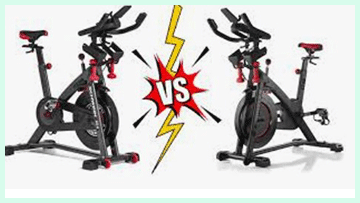
I started with the Schwinn IC4 after debating a full Peloton setup.
The lower price drew me in, and I paired it with my iPad for Peloton classes.
The ride felt surprisingly smooth right away, with the heavy flywheel giving realistic momentum.
Magnetic resistance shifted quietly, and Bluetooth connected effortlessly. I used the included dumbbells for arms during intervals, which added variety.
After months, the bike stayed stable even during tough sprints. The heart rate monitor tracked accurately, helping me push zones. I appreciated no forced subscription.
Minor annoyances like resistance calibration existed, but conversion tools fixed them. Overall, it delivered consistent workouts without breaking the bank.
Pros Of Schwinn IC4
- Affordable entry point : The Schwinn IC4 costs significantly less upfront, often under $1,000, which leaves room in your budget for accessories or a good tablet.
- Versatile app compatibility : I love how it connects seamlessly via Bluetooth to multiple platforms like Peloton, Zwift, and others, giving me freedom to switch apps without being locked in.
- Higher weight capacity : At 330 pounds, it accommodates a wider range of users comfortably, including taller or heavier riders who might feel restricted elsewhere.
- Magnetic resistance system : The 100 levels feel smooth and quiet, with no friction pads to wear out, making rides consistent and low-maintenance over time.
- Included extras add value : It comes with three-pound dumbbells and a heart rate armband, saving me extra purchases that Peloton requires separately.
- Compact and sturdy build : The bike feels solid with a heavy flywheel for realistic momentum, yet it’s lighter and easier to move than bulkier options.
- Longer frame warranty : A 10-year warranty on the frame gives peace of mind for long-term use without constant worry about structural issues.
- No mandatory subscription : I can ride freely using free apps or basic metrics, or pay only when I want premium content, keeping ongoing costs flexible.
- Smooth ride quality : Many users, including me after extended testing, find the flywheel action more satisfying and less “cheap” feeling in direct comparisons.
- Easy to pair with your own device : The tablet holder works well for streaming, and auto-adjust resistance through apps makes classes immersive without a built-in screen.
Also read: Comparison of Ritfit And Major Fitness
Cons Of Schwinn IC4
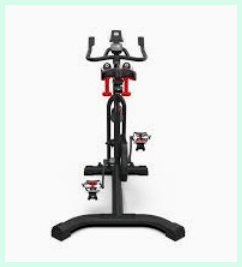
- No built-in large screen : I have to use my own tablet or phone, which sometimes feels less seamless during sweaty rides when adjusting angles.
- Resistance levels don’t match 1:1 : The 100 levels feel heavier than Peloton’s, so following instructor cues requires a conversion chart or app tweaks.
- Basic LCD display : The small screen shows metrics like RPM and calories but lacks the engaging visuals and leaderboards of premium setups.
- Seat comfort issues : The saddle feels narrow and hard for long rides, often leading me to add a gel cover for better padding.
- Tablet holder limitations : It doesn’t tilt or swivel much, making it tricky to view the screen perfectly from all riding positions.
- No fan included : I miss a built-in fan during high-intensity intervals, relying on room fans or portable ones.
- Assembly and setup effort : While straightforward, it takes time, and delivery/setup isn’t always included free like some competitors.
- Limited official content : Schwinn’s JRNY app feels basic compared to specialized platforms, pushing me toward third-party subscriptions.
- Potential wobble at high intensity : For some heavier users, it feels slightly less stable during out-of-saddle sprints than heavier bikes.
- No automatic metrics perfection : Without app tweaks, some data like wattage might not display as accurately for advanced tracking.
Maintenance Tips For Schwinn IC4
- Wipe down after every ride : I always clean the frame, handlebars, and seat with a damp cloth to remove sweat and prevent corrosion buildup.
- Check belt tension periodically : Inspect the drive belt every few months and adjust if it feels loose to maintain smooth performance.
- Lubricate seat post if sticky : Apply silicone-based lubricant to the seat slider for effortless adjustments without grinding.
- Keep pedals clean : Remove dirt from toe cages and clips regularly to ensure secure foot placement during workouts.
- Calibrate resistance sensor : Follow app or manual steps occasionally to keep levels accurate and consistent.
- Store in dry environment : Avoid humid areas to prevent rust on metal parts over time.
- Check bolts and hardware : Tighten any loose screws quarterly to preserve stability.
- Monitor flywheel area : Dust around the magnetic system to keep resistance quiet and effective.
- Use proper footwear : Stick to compatible shoes to avoid unnecessary wear on pedals.
- Unplug if needed : Disconnect power before any deeper cleaning for safety.
My Experience With Peloton Bike
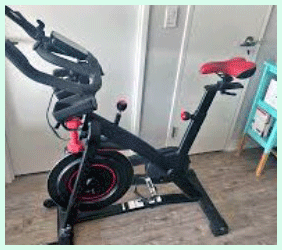
Switching to the Peloton felt like entering a studio. The large touchscreen made classes immersive from the start.
Instructors motivated me intensely, and leaderboards added competition.
The build quality impressed, though it felt slightly less sturdy in direct side-by-side. Resistance responded to cues, but I missed auto-adjust from some apps.
The community high-fives kept me engaged. However, the mandatory subscription added up quickly.
Setup was professional, and the swivel screen suited off-bike work. Rides were polished, but the higher cost made me question value long-term. It excelled in motivation, yet felt premium-priced.
Pros Of Peloton Bike
- Immersive high-quality classes : The instructors deliver engaging, professional live and on-demand sessions that keep me motivated through tough intervals and make every ride feel like a real studio experience.
- Large swivel touchscreen : The 21.5-inch Full HD display tilts smoothly and now offers better viewing angles, letting me follow classes easily without straining during long workouts.
- Strong community features : Leaderboards, high-fives, and shoutouts create a sense of connection, pushing me to beat personal records and feel part of a supportive group even when riding alone.
- Premium build quality : The frame feels solid and stable, with grippy handlebars that stay secure even when soaked in sweat, giving confidence during out-of-saddle efforts.
- Excellent audio system : Front-facing stereo speakers deliver clear, powerful sound that fills the room, making music and instructor cues motivating without needing extra headphones.
- Variety of workout types : Beyond cycling, I access strength, yoga, and scenic rides directly on the bike, keeping things fresh and allowing full-body training without switching equipment.
- Accurate performance tracking : Metrics like output, cadence, and resistance display reliably, helping me monitor progress and hit specific zones consistently.
- Compact home footprint : It fits neatly in small spaces like a yoga mat area, making it practical for apartments while still feeling like a professional setup.
- Motivational entertainment integration : Streaming options for shows, movies, or live TV during easier rides help time fly and encourage longer sessions.
- Long-term durability : With proper care, the bike holds up well over years, supported by a solid frame warranty that provides reassurance for heavy daily use.
Read more: Comparison of Planet Fitness And Crunch Gym
Cons Of Peloton Bike
- High overall cost : The bike starts around $1,695, plus the $44 monthly All-Access membership adds up quickly, making it a big commitment compared to basic stationary bikes.
- Mandatory subscription for full use : Without the membership, the screen shows almost nothing useful, limiting the bike to basic pedaling without classes or metrics.
- No automatic resistance adjustment : Unlike the Bike+, I manually turn the knob based on instructor cues, which can feel disruptive during intense moments.
- Pedals require specific cleats : The Delta-compatible system means buying Peloton shoes or adapters if I prefer other types, adding extra expense and hassle.
- Screen doesn’t fully rotate : It tilts but lacks 360-degree swivel, making off-bike strength or yoga classes less convenient than on the upgraded model.
- Potential hardware issues : Some users report WiFi connectivity problems, screen glitches, or pedal wear over time, requiring support calls.
- Limited weight capacity : At 297 pounds, it may not suit heavier riders comfortably compared to some competitors.
- Sweat management challenges : Without regular wiping, sweat causes buildup that affects components and appearance.
- Forced community elements : Leaderboards and social features can feel overwhelming or distracting if I just want quiet, solo workouts.
- Delivery and setup delays : Depending on location, waiting periods or installation hiccups occasionally occur.
Maintenance Tips For Peloton Bike
- Wipe down after every ride : I use a soft damp cloth to clean the frame, handlebars, seat, and screen to remove sweat and prevent corrosion or buildup.
- Shut down the system completely : Power off the bike after each use to keep the software responsive and avoid unnecessary wear on electronics.
- Check and tighten pedals regularly : Inspect pedals monthly and tighten them to ensure safety, as they can loosen with heavy use over time.
- Use gentle cleaners only : Stick to mild, non-abrasive wipes for the touchscreen and metal parts to avoid damage or residue.
- Vacuum around the base weekly : Remove dust from the floor area and bike crevices to prevent accumulation that affects performance.
- Lubricate moving parts sparingly : Apply appropriate lube to pedals or seat post if squeaks develop, following manufacturer guidelines.
- Inspect for wear quarterly : Look at cleats, resistance knob, and bolts for signs of damage and address early.
- Avoid liquids near openings : Keep drinks away from screws and ports to prevent rust or electrical issues.
- Replace pedals annually if heavy use : Peloton recommends this for frequent riders to maintain clip security.
- Use a sweat towel consistently : Drape one over the frame during rides to catch moisture and make post-ride cleaning easier.
Comparison With Other Brands
Versus Echelon : Echelon offers built-in screens on some models but often feels less durable than the Schwinn’s solid frame.
Versus Bowflex C6 : Essentially the same bike as IC4 under different branding, so performance matches but pricing varies by retailer.
Versus NordicTrack : NordicTrack adds incline features but has mixed reviews on reliability compared to Schwinn’s consistent ride.
Versus Keiser : Keiser provides premium air resistance feel but at a much higher cost without app versatility.
Versus Sunny Health : Sunny models are cheaper but lack magnetic smoothness and Bluetooth integration Schwinn delivers.
Versus Sole : Sole emphasizes heavy flywheels for stability but often costs more without the same app ecosystem.
Versus MYX : MYX includes heart rate-based training but trails in community options Schwinn accesses.
Versus Peloton alternatives : Many brands mimic Peloton but Schwinn stands out for value and multi-app support.
Versus high-end studios : Commercial bikes like Stages feel pro-level but aren’t practical for home use like Schwinn.
Overall value edge : Schwinn frequently ranks as the top versatile magnetic bike against pricier or less-connected competitors.
Frequently Asked Questions (FAQ)
The Schwinn IC4 has 100 magnetic levels that feel heavier, so they don’t match Peloton’s 1:1; use a conversion chart for classes.
The Schwinn IC4 stands out as a top alternative for its app compatibility, lower price, and solid performance.
Yes, especially if you want Peloton-like rides without the high cost or mandatory subscription.
Yes, it’s a smart bike with Bluetooth connectivity for auto-resistance and metrics in compatible apps.
Conclusion: For Schwinn IC4 And Peloton Bike
I’ve weighed both bikes thoroughly, and here’s what I think. If you’re after an immersive, all-in-one experience with stunning classes and community vibes, the Peloton Bike delivers that premium feel—you’ll love the motivation it provides. But if you want similar performance at a fraction of the cost, with more flexibility and no ongoing fees required, go for the Schwinn IC4; it won’t disappoint. Ultimately, the better choice depends on your priorities: splurge for the full package or save smartly and still get great results. Either way, you’ll be pedaling toward your goals.