
I’ve spent years testing and living with smart TVs, and one question keeps popping up: should you go for a Roku TV (like the branded Roku Pro or Plus Series) or a TCL TV (often with Google TV now, but some older models had Roku)? My goal here is to help you figure out which fits your viewing habits, budget, and room setup best, based on real-world use in 2025.
Right off the bat, these aren’t direct rivals anymore. Roku TVs are made by Roku themselves, with their super-simple OS. TCL, once a big Roku partner, has mostly switched to Google TV for better features and integration. I’ll compare the current lineups head-to-head.
A Brief Comparison Table Roku Vs Tcl
| Feature | Roku TV (e.g., Pro/Plus Series 2025) | TCL TV (e.g., QM8K/QM6K Series 2025) |
| Operating System | Roku OS | Google TV |
| Picture Technology | Mini-LED QLED (Pro), QLED (Plus) | Mini-LED QLED, advanced local dimming |
| Peak Brightness | Up to 1,800 nits (Pro) | Up to 4,500+ nits (flagships) |
| Gaming Features | 120Hz, VRR, ALLM (Pro); basic on others | 144Hz, VRR, ALLM, Game Accelerator |
| Smart Interface | Simple, ad-supported, neutral | Content-focused, personalized recommendations |
| Voice Control | Basic Roku voice, Alexa/Google compatible | Full Google Assistant |
| Price Range (65-inch) | $600–$1,500 | $500–$2,000 |
| Best For | Easy streaming, casual use | Bright rooms, gaming, HDR movies |
My Experience With Roku Tv
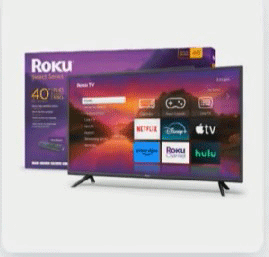
I brought home a Roku Pro Series last year, and it quickly became my go-to for everyday watching.
Setup took minutes—I plugged it in, connected to Wi-Fi, and it guided me through everything.
The remote is rechargeable with voice control, and I love the remote finder button when it gets lost in the couch.
Streaming feels effortless. The home screen is clean, with big tiles for apps like Netflix, Disney+, and Prime Video.
Search works across services, so I can type “action movies” and see options from everywhere. I’ve binged shows late at night, and the picture on the Mini-LED panel pops with vibrant colors and deep blacks. HDR content shines, especially in Dolby Vision.
For gaming, I hooked up my Xbox, and the auto low-latency mode kicks in smoothly. No noticeable lag, and the 120Hz refresh rate handles fast action well. Sound is solid too—the built-in speakers fill my living room without needing a soundbar right away.
That said, it’s not perfect for super-bright rooms. Glare can be an issue on sunny days, though the matte finish helps. Ads on the home screen don’t bother me much, but I know some people find them intrusive.
Overall, this TV makes watching relaxing. I turn it on, find something quickly, and enjoy it without fiddling with settings.
Also read: Comparison of Select Capillus And Theradome
Pros Of Roku Tv
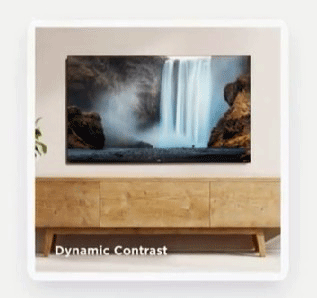
- Simple Interface: The Roku OS is straightforward and easy to navigate. I appreciate how it doesn’t overwhelm with options—perfect if you just want to watch without hassle.
- Excellent Streaming: Access to thousands of channels, including free ones like The Roku Channel. Universal search saves time by showing results from multiple apps.
- Affordable Quality: Even the Pro Series delivers Mini-LED brightness and contrast at a price lower than many flagships.
- Voice Remote: The included remote has voice search that’s accurate, plus private listening through headphones via the app.
- Regular Updates: Roku keeps adding features, like better gaming modes and app support.
- Neutral Platform: No favoritism toward one service—everything feels equal.
- Good for Families: Guest mode and parental controls are simple to set up.
- Apple AirPlay Support: Easy to cast from my iPhone or Mac.
- Remote Finder: That button on the TV has saved me countless times.
- Solid Build: The newer models feel premium, with slim bezels and stable stands.
Cons Of Roku Tv
- Ads on Home Screen: Banner ads and suggestions can feel cluttered, though you can minimize them.
- Limited Gaming Specs: Lower models stick to 60Hz, missing advanced features like 144Hz on competitors.
- No Native Google Integration: If you’re deep in Google ecosystem, casting or Assistant works but not as seamlessly.
- Brightness Limits: Great in controlled lighting, but top TCLs outperform in very bright rooms.
- Fewer High-End Zones: Local dimming is good, but not as precise as premium Mini-LED from others.
- App Sideloading Impossible: Stuck with official channels only.
- Sound Average on Base Models: Pro is better, but entry-level needs external audio.
- No Built-in Camera: Lacks video call features some have.
- Slower Processor on Budget: Occasional lag when multitasking apps.
- Limited Smart Home Hub: Basic compatibility, not a full controller.
Maintenance Tips For Roku Tv
- Dust Regularly: Use a microfiber cloth to wipe the screen gently—avoid harsh chemicals that can damage the coating.
- Update Software: Go to settings and check for updates monthly; they improve performance and security.
- Ventilation Matters: Keep space around the TV for airflow to prevent overheating.
- Calibrate Picture: Use built-in modes or Roku app for better colors—try Movie mode for accuracy.
- Remote Care: Charge the voice remote fully and avoid dropping it.
- Cable Management: Organize cords to reduce dust buildup and tripping hazards.
- Power Cycle Occasionally: Unplug for a minute if it acts sluggish—clears temporary glitches.
- Screen Saver: Enable to prevent burn-in on static images.
- Wi-Fi Strength: Place router close or use Ethernet for stable streaming.
- Protect from Surges: Use a good surge protector to safeguard electronics.
Comparison With Other Brands
- Vs Samsung: Samsung’s Tizen is flashy with more ads, but better processing for motion. Roku feels cleaner and loads apps faster on budget models.
- Vs LG: WebOS is smooth and premium-feeling. Roku wins on simplicity and channel variety, while LG excels in gaming with more HDMI 2.1 ports.
- Vs Hisense: Similar value, but Hisense often brighter. Roku OS is more reliable and less buggy than some Google TV implementations.
- Vs Sony: Sony’s Google TV has superior picture processing. Roku is easier for non-tech users and cheaper.
- Vs Vizio: Vizio’s SmartCast can be laggy; Roku is snappier and has better search.
- Vs Amazon Fire TV: Fire pushes Prime content heavily; Roku stays neutral.
- Overall Edge: Roku shines against pricier brands for ease and value, but loses on raw specs to TCL/Hisense flagships.
My Experience With Tcl Tv
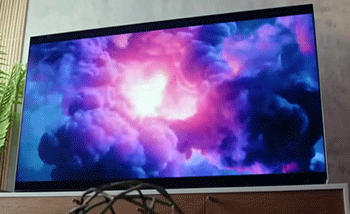
I upgraded to a TCL QM8K this year, and wow—the brightness hits you immediately.
In my sunny living room, HDR movies look stunning without washout.
Colors are vivid thanks to QLED, and Mini-LED dimming creates deep blacks with minimal blooming.
Google TV personalizes recommendations well—it suggests shows I actually watch. Casting from my Android phone is seamless, and Google Assistant handles voice commands like lights or queries effortlessly.
Gaming is a highlight. The 144Hz rate and VRR make gameplay smooth on my PS5. Auto game mode switches instantly.
Sound surprised me—built-in speakers are loud and clear, though I added a soundbar for bass.
One downside: the interface can feel busy with rows of suggestions. Occasional ads pop up, but not as intrusive as some.
This TV excels for movies, sports, and gaming in bright spaces. It’s my pick for immersive viewing.
Read more: Comparison of Shark NV360 And NV380
Pros Of Tcl Tv
- Outstanding Brightness: Flagships hit over 4,000 nits—perfect for daytime viewing.
- Advanced Gaming: 144Hz, full HDMI 2.1 features, low input lag.
- Google TV Smarts: Personalized recommendations and deep Google integration.
- Value for Specs: Mini-LED and QLED at prices beating Samsung/LG equivalents.
- Excellent Contrast: Many dimming zones reduce haloing effectively.
- Voice Control: Full Google Assistant for smart home and searches.
- Wide App Support: All major streaming plus sideloading options.
- Build Improvements: 2025 models feel sturdier with better remotes.
- HDR Mastery: Supports Dolby Vision, HDR10+, great for movies.
- Large Sizes Affordable: Huge screens without huge prices.
Cons Of Tcl Tv
- Interface Clutter: Google TV’s many rows can overwhelm.
- Ads Present: Promoted content in recommendations.
- Inconsistent Lower Models: Budget ones lack dimming and brightness.
- Motion Handling Variable: Good overall, but not Sony-level.
- Sound Needs Boost: Decent, but bass lacks without external help.
- Glitches Occasional: Software bugs in early firmware, though updates fix.
- No Neutrality: Pushes Google/YouTube slightly.
- Remote Basic on Some: Entry models miss backlighting.
- Viewing Angles Limited: VA panels narrow off-axis.
- Burn-In Risk Low: But static images need care.
Maintenance Tips For Tcl Tv
- Gentle Cleaning: Microfiber cloth only; no liquids directly on screen.
- Firmware Updates: Check regularly for performance and feature additions.
- Proper Ventilation: Avoid enclosed cabinets to prevent heat issues.
- Picture Calibration: Use Google TV tools or pro calibration for accuracy.
- Remote Hygiene: Wipe and replace batteries if applicable.
- Stable Power: Surge protector essential.
- Dust Vents: Vacuum gently around ports.
- Screen Timeout: Enable sleep mode for energy savings.
- Wi-Fi Optimization: Strong signal or wired for 4K streaming.
- Cable Check: Secure connections to avoid signal drops.
Comparison With Other Brands
Vs Samsung: TCL often brighter and cheaper; Samsung better anti-glare and processing.
Vs LG: LG’s OLED unbeatable for blacks; TCL wins on brightness/value.
Vs Hisense: Very similar—both great value; TCL edges in consistency.
Vs Sony: Sony superior processing; TCL more features per dollar.
Vs Vizio: TCL more reliable software and brighter.
Vs Roku-Branded: TCL higher specs; Roku simpler OS.
Overall: TCL competes strongly with premiums on performance while undercutting prices.
Frequently Asked Questions (FAQ)
It depends on needs—Roku TV for simple interface and ease; TCL for superior picture, brightness, and gaming.
No, current Roku-branded TVs are made by Roku. Older Roku TVs were often TCL-manufactured.
Yes, TCL offers better picture quality, build, and features than budget Onn Roku TVs.
Conclusion: For Roku Tv And Tcl Tv
You now have the full picture on these options. If you want hassle-free streaming and a clean experience, I recommend a Roku TV—it just works. But if brightness, gaming, or vivid HDR matters more, go with TCL; you’ll get thrilled by the performance. Whichever you choose, enjoy the shows—happy watching!