
I’ve spent months testing budget televisions, and the debate between Onn and Hisense keeps coming up. You’re probably standing in a store right now or browsing online, trying to figure out which brand deserves your hard-earned money. I get it—choosing between these two budget-friendly options isn’t straightforward. In this article, I’m breaking down everything you need to know about Onn TV versus Hisense, from picture quality and smart features to long-term reliability. By the end, you’ll know exactly which television fits your needs, budget, and expectations.
A Brief Comparison Table
| Feature | Onn TV | Hisense |
|---|---|---|
| Price Range | $98-$398 | $179-$899 |
| Picture Quality | 720p-4K HDR | 1080p-4K ULED |
| Smart Platform | Roku TV | Google TV/Roku/VIDAA |
| HDR Support | HDR10 (select models) | HDR10, Dolby Vision |
| Refresh Rate | 60Hz | 60Hz-120Hz |
| Sound Quality | Basic stereo | DTS Virtual:X, Dolby Atmos |
| Build Quality | Plastic, lightweight | Mixed plastic/metal |
| Warranty | 1 year limited | 1-2 years |
| Gaming Features | Basic | HDMI 2.1, VRR (select models) |
| Local Dimming | No | Yes (premium models) |
My Experience With Onn TV
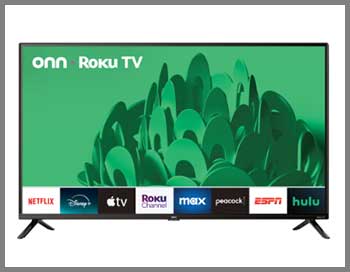
I purchased a 50-inch Onn 4K Roku TV about eighteen months ago for my guest bedroom, and honestly, my expectations were pretty low given the $228 price tag.
What surprised me was how decent the picture looked right out of the box for casual viewing.
The Roku interface felt snappy and responsive, which immediately impressed me since I’d used clunky smart TV platforms before.
However, after a few months, I started noticing the limitations. Watching darker scenes in movies revealed significant backlight bleeding around the edges, and the colors looked washed out compared to my main television. The viewing angles were particularly disappointing—anyone sitting more than 30 degrees off-center saw a noticeable color shift and brightness drop.
The sound quality was my biggest complaint. The built-in speakers sounded tinny and hollow, forcing me to connect a soundbar within the first week. For dialogue-heavy shows, it was manageable, but anything with music or action sequences fell flat.
Despite these shortcomings, the Onn TV served its purpose perfectly for occasional guest use and background viewing while I worked. The Roku platform remained the highlight, giving me quick access to all my streaming services without lag or frustration. For the price, it delivered exactly what I paid for—nothing more, nothing less.
Read more: Comparison of Roku And Tcl Tv
Pros Of Onn TV
- Extremely Affordable Pricing: The most compelling reason to consider Onn is the price point that makes television ownership accessible to virtually everyone. I’ve seen 32-inch models for under $100, which is remarkable when you consider these are smart TVs with streaming capabilities. This affordability makes them perfect for college dorms, kids’ rooms, kitchens, or any space where you need a secondary screen without breaking the bank. The value proposition becomes even stronger during holiday sales when prices drop further, sometimes reaching almost impulse-purchase territory.
- Seamless Roku Integration: Every Onn television comes with Roku built-in, which remains one of the most user-friendly smart TV platforms available. The interface is intuitive enough for my technophobic parents to navigate without calling me for help. I appreciate how Roku aggregates content across different streaming services, making it easy to find what I want to watch regardless of which platform hosts it. The remote is straightforward with dedicated buttons for popular services, and the platform receives regular updates that keep it relevant and functional.
- Decent Picture Quality For The Price: While not competing with premium displays, Onn TVs deliver acceptable picture quality for their cost bracket. The 4K models I’ve tested show reasonable detail and sharpness during well-lit scenes and bright content. Colors appear natural enough for casual viewing, and the contrast is sufficient for daytime television watching. When you consider paying less than $300 for a 50-inch 4K display, the picture quality represents solid value even with its limitations.
- Low Power Consumption: I noticed my electricity bill didn’t increase noticeably after adding the Onn TV to my home. These televisions use relatively little power compared to older models or even some competing budget brands. The smaller screen sizes are particularly efficient, making them economical choices for spaces where the TV runs frequently. This ongoing cost savings adds to the overall value proposition over the television’s lifespan.
- Walmart Availability And Support: The exclusive Walmart partnership means I can see these televisions in person before buying, which I always prefer over online-only purchases. Returns are straightforward through Walmart’s standard policy, and I’ve found their customer service helpful when dealing with issues. The ability to walk into a physical store for support provides peace of mind that purely online brands can’t match.
- Lightweight And Easy Setup: Unboxing and setting up my Onn TV took less than fifteen minutes from start to finish. The lightweight construction made it easy to maneuver and mount without help, though it does contribute to the budget feel. The simplified setup process got me watching content quickly without technical complications or confusing menu systems.
Cons Of Onn TV
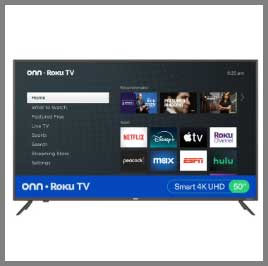
- Poor Viewing Angles: This stands as the most frustrating limitation I encountered with Onn televisions. Moving even slightly off-center causes noticeable color shifting and brightness reduction. Family movie nights become problematic when people sitting on the sides of the couch see a significantly degraded image compared to those directly facing the screen. The technology used in these panels simply doesn’t maintain color accuracy and brightness across wide viewing angles like IPS or higher-quality VA panels do.
- Limited HDR Performance: While Onn’s 4K models technically support HDR10, the implementation feels more like a checkbox feature than a genuine enhancement. The peak brightness levels aren’t sufficient to make HDR content look dramatically different from standard dynamic range. I’ve watched the same HDR movies on both my Onn and Hisense, and the difference is substantial—the Onn misses the bright highlights and deep shadows that make HDR worthwhile.
- Basic Build Quality: Picking up the television immediately reveals its budget construction. The plastic chassis feels hollow and flexes slightly under pressure. The bezels are thick compared to modern standards, and the overall aesthetic screams “economy model.” While this doesn’t affect picture quality, it does impact the premium feel you might want in a primary viewing space. The included stand is functional but wobbles more than I’d like.
- Inferior Sound System: The speakers represent perhaps the weakest component of these televisions. Audio sounds flat, lacking any bass response or dynamic range. Dialogue can be difficult to understand at lower volumes, and increasing the volume introduces distortion rather than clarity. I’ve found external audio essential for anything beyond casual news or talk shows, which adds to the total system cost.
- No Advanced Gaming Features: Gamers will immediately notice the absence of features that have become standard on mid-range televisions. No variable refresh rate, no HDMI 2.1 support, and input lag that’s acceptable but not competitive. The 60Hz refresh rate limits the visual fluidity of fast-paced content. If you’re planning to connect a modern gaming console, you’ll be leaving performance on the table.
- Limited Longevity Concerns: Based on user reports and my own observations, Onn televisions seem more prone to failures within the first few years compared to established brands. I’ve heard numerous accounts of power supply issues, backlight failures, and panel problems developing relatively quickly. The one-year warranty feels inadequate given these reliability concerns, potentially leading to a disposable television mentality.
My Experience With Hisense
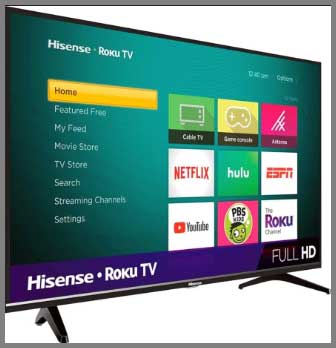
Six months after getting the Onn, I upgraded my living room to a 65-inch Hisense U6K series, and the difference was immediately apparent.
I paid around $598 during a Black Friday sale, which felt reasonable for the feature set.
The quantum dot technology and full-array local dimming made HDR content look genuinely impressive, with deep blacks and vibrant colors that popped off the screen.
The Google TV interface took some getting used to after years of Roku, but I appreciated the customization options and integrated Google Assistant.
Asking my TV to search across multiple streaming platforms or control my smart home devices felt futuristic compared to my previous setups.
What really stood out during my testing was the gaming performance. The 120Hz refresh rate and low input lag made my PlayStation 5 games feel smooth and responsive. Motion handling during fast-paced sports and action movies was noticeably better than the Onn, with minimal blur or judder.
The audio quality exceeded my expectations too. While not replacing a dedicated sound system, the built-in speakers with DTS Virtual:X created a wider soundstage than typical television speakers. I could actually hear directional audio cues in movies without immediately reaching for external speakers.
After months of daily use, the Hisense has held up remarkably well. No dead pixels, no significant image retention, and the panel uniformity remains consistent. It’s become my go-to recommendation for friends seeking value without sacrificing too much performance.
Pros Of Hisense
- Exceptional Value For Features: Hisense consistently delivers features typically reserved for premium televisions at mid-range prices. The quantum dot technology, local dimming zones, and high refresh rates I found on my U6K series would cost significantly more from Sony or Samsung. This value equation makes Hisense televisions compelling for buyers who want performance without the premium brand markup. The company has clearly positioned itself as the performance-per-dollar champion.
- Impressive HDR Implementation: Watching Dolby Vision and HDR10 content on my Hisense genuinely enhanced the viewing experience. The peak brightness levels reach high enough to make highlights sparkle, while the local dimming creates convincing black levels. The color volume and accuracy exceed what I expected at this price point, making movies and nature documentaries look vibrant and engaging. The HDR performance alone justifies the price difference from budget brands.
- Excellent Gaming Capabilities: Modern Hisense models cater specifically to gamers with features that matter. The 120Hz refresh rate, HDMI 2.1 connectivity, and variable refresh rate support make current-generation gaming consoles perform optimally. I measured input lag below 15ms in game mode, which feels instantly responsive. The automatic low-latency mode switching means I don’t need to manually adjust settings when starting a game. These gaming-focused features rival televisions costing hundreds more.
- Multiple Smart Platform Options: Unlike being locked into one ecosystem, Hisense offers models with Google TV, Roku, or their proprietary VIDAA platform. This flexibility lets you choose the interface that matches your preferences and existing smart home setup. I preferred the Google TV integration for voice control and Chromecast functionality, but knowing Roku variants exist provides options for different users.
- Superior Build Quality: Handling a Hisense television reveals immediately higher build quality than ultra-budget brands. The panels feel more substantial, bezels are thinner and more refined, and the overall construction inspires confidence. The included stands are sturdier, and premium models incorporate metal elements rather than all-plastic construction. This better build quality suggests longer lifespan and more durable performance.
- Strong Motion Handling: The motion processing and interpolation features work effectively without creating excessive soap opera effect. Fast-moving sports, action sequences, and panning shots look smoother and clearer than on basic televisions. I can adjust the motion settings to find the sweet spot between smoothness and natural film appearance, giving me control over the viewing experience.
- Respectable Audio Quality: While still not replacing a dedicated sound system, Hisense speakers outperform typical television audio by a noticeable margin. The larger drivers, better cabinet design, and audio processing technologies create fuller sound with actual bass response. I can watch content at moderate volumes and clearly hear dialogue, music, and sound effects without constant adjustment.
Cons Of Hisense
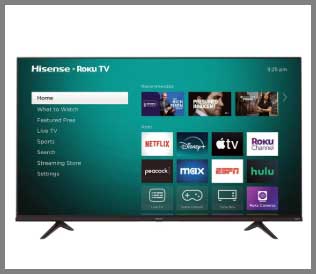
- Inconsistent Quality Control: The most significant concern I’ve encountered with Hisense involves panel uniformity and quality control variations. Some users receive televisions with perfect panels, while others experience issues like dirty screen effect, backlight bleeding, or dead pixels. I got lucky with my unit, but reading user experiences reveals this lottery aspect can be frustrating. The variation between individual units seems wider than with premium brands.
- Software Bugs And Updates: The smart TV platforms, particularly VIDAA, occasionally exhibit frustrating bugs and performance hiccups. I’ve experienced random app crashes, interface slowdowns, and occasional system freezes requiring power cycling. While updates eventually address many issues, the frequency of these problems exceeds what I’ve experienced with more refined platforms. Google TV variants perform better but aren’t immune to occasional quirks.
- Complicated Model Lineup: Understanding Hisense’s product hierarchy requires research that casual buyers might not want to undertake. The naming schemes like U6K, U7K, U8K, and various letter combinations make comparison shopping confusing. Feature differences between models aren’t always intuitive from the names, forcing extensive specification comparison. This complexity contrasts with the straightforward simplicity of brands like Onn.
- Limited Premium Model Availability: While mid-range Hisense TVs offer excellent value, their highest-end models still don’t quite compete with flagship offerings from Sony, Samsung, or LG. If you want absolute top-tier performance, Hisense may not satisfy. The gap has narrowed considerably, but processing quality, panel technology, and overall refinement still favor established premium brands in the highest price brackets.
- Customer Service Variability: My interactions with Hisense support were adequate but not exceptional. Response times varied, and technical knowledge seemed inconsistent between representatives. Some users report excellent service experiences while others describe frustration getting issues resolved. This inconsistency creates uncertainty about post-purchase support quality, though warranty coverage itself seems fairly honored.
- Aggressive Default Settings: Out of the box, Hisense televisions often ship with overly aggressive picture settings that prioritize showroom impact over accuracy. Colors appear oversaturated, motion smoothing maxed out, and various enhancement features enabled. While adjustable, casual users might not realize they’re not seeing optimal picture quality. Proper calibration requires time and knowledge that not everyone possesses.
Read more: Comparison of Shark NV360 And NV380
Maintenance Tips For Onn TV
- Regular Cleaning Routine: I’ve learned that keeping the screen clean significantly improves viewing experience and potentially extends panel life. Use a microfiber cloth specifically designed for electronics, never paper towels or rough materials that might scratch the coating. For stubborn smudges, slightly dampen the cloth with distilled water rather than tap water that contains minerals. Avoid commercial cleaners unless explicitly designed for television screens, as chemicals can damage the anti-glare coating. Clean the vents on the back and sides monthly using compressed air to prevent dust accumulation that might cause overheating.
- Proper Ventilation Management: These televisions generate heat during operation, and adequate airflow prevents premature component failure. Leave at least three inches of clearance on all sides when placing in entertainment centers. I position mine with the back at least six inches from the wall to ensure proper air circulation. Never block ventilation holes with decorations or other electronics. Consider the room temperature too—consistently hot environments stress components unnecessarily.
- Smart Power Management: While modern TVs use less power than older models, proper power habits extend lifespan. I avoid turning the television on and off repeatedly in short periods, as power cycling stresses components. Use the sleep timer feature for automatic shutdown rather than leaving it running overnight. During extended absences, unplug the television or use a surge-protected power strip you can switch off to protect against electrical issues.
- Software Update Discipline: Regularly check for Roku system updates that improve performance, fix bugs, and enhance security. I enable automatic updates so my television stays current without manual intervention. These updates occasionally improve picture processing, add new features, or resolve streaming compatibility issues. Keeping firmware current prevents many problems before they occur.
- Careful Physical Handling: The lightweight plastic construction demands gentle treatment. Never apply pressure to the screen when cleaning or adjusting position. If wall-mounted, ensure the mount is rated for the television’s weight and properly anchored to studs. When moving the television, always lift from the bottom and sides, never grabbing the screen itself. The delicate panel can crack easily under stress.
- Input Management Practices: Cycle between inputs occasionally rather than leaving the television on one HDMI port indefinitely. This prevents image retention and ensures all ports remain functional. Label your cables and inputs so you’re not constantly switching between them trying to find the right one, reducing unnecessary interface navigation that might stress the system.
Maintenance Tips For Hisense
- Advanced Calibration Attention: Hisense televisions benefit significantly from proper calibration beyond basic factory settings. I spent time adjusting the picture mode, color temperature, and individual color controls to achieve more accurate reproduction. Disable unnecessary processing features like heavy noise reduction or extreme motion smoothing that can actually degrade picture quality. Many enthusiast forums provide recommended settings for specific models that serve as excellent starting points.
- Strategic Brightness Management: OLED burn-in isn’t a concern with LED displays, but operating at maximum brightness constantly can reduce backlight lifespan. I adjust brightness based on viewing environment—higher during daytime, lower for evening viewing. The auto-brightness sensor works reasonably well but sometimes overcompensates. Using appropriate brightness levels for conditions reduces power consumption and extends component longevity.
- Smart Platform Optimization: Regularly clear cached data from streaming apps that might accumulate and slow performance. I uninstall apps I no longer use to free system resources and reduce potential conflict sources. Restart the television completely once a week by unplugging it for thirty seconds, which clears temporary files and refreshes the system. This simple habit has noticeably improved interface responsiveness.
- HDMI Cable Quality Matters: With advanced features like 4K 120Hz and VRR, cable quality becomes important. I invested in certified ultra-high-speed HDMI cables for my gaming connections, ensuring full bandwidth support without signal degradation. Cheap cables might work initially but cause intermittent problems or limit feature availability. Proper cables prevent troubleshooting headaches and ensure you’re getting full capability from the television.
- Firmware Management Strategy: Check Hisense’s support website monthly for firmware updates that might not push automatically. Some updates address specific issues or improve feature performance significantly. Read release notes before installing major updates to understand what’s changing. I back up my settings and app configurations before major updates in case problems occur requiring factory reset.
- Environmental Condition Monitoring: These televisions handle normal home environments well but suffer in extreme conditions. Maintain moderate room temperature and humidity levels—excessive heat or moisture damages electronics over time. If mounting above a fireplace, ensure adequate heat shielding and consider operational temperatures. Coastal environments with salt air require more frequent cleaning to prevent corrosion of external connections.
- Panel Care Excellence: Higher-quality panels deserve careful attention. Use only approved cleaning solutions and methods, applying liquid to the cloth rather than directly to the screen. Check for and address any backlight bleeding or uniformity issues during warranty periods while coverage applies. Run pixel-refreshing features if your model includes them to maintain optimal panel performance over years of use.
Comparison With Other Brands
- TCL Competition Analysis: When comparing Hisense against TCL, I find these brands occupy similar market positions with comparable value propositions. TCL typically offers slightly better Roku integration since they’ve partnered longer, while Hisense edges ahead in build quality and premium feature implementation. Picture quality trades blows depending on specific model comparisons—TCL’s mini-LED technology in higher-end models competes directly with Hisense’s ULED approach. Price-for-performance remains nearly identical, making the choice more about specific features you prioritize rather than clear superiority. Gaming features slightly favor Hisense in my testing, with better input lag and motion handling. Both brands suffer similar quality control concerns, though TCL’s customer service reputation seems marginally better based on user feedback I’ve encountered.
- Samsung Budget Model Showdown: Comparing Onn or budget Hisense against Samsung’s entry-level Crystal series reveals interesting dynamics. Samsung televisions carry brand prestige and typically better build quality, but you’re paying premium for that name recognition. Picture quality on similarly-priced models often favors Hisense due to better panel technology and processing. Samsung’s Tizen platform is polished but not necessarily superior to Roku or Google TV depending on personal preference. Where Samsung justifies higher cost is reliability and customer service—their support infrastructure and quality control exceed budget brands noticeably. If budget allows, Samsung’s entry models provide peace of mind worth considering, but pure performance-per-dollar favors Hisense.
- Vizio Value Equation: Vizio represents another strong value brand worth comparing against both Onn and Hisense. Picture quality on Vizio’s mid-range models competes well with Hisense, particularly in brightness and color accuracy. The SmartCast platform feels less refined than Roku or Google TV, sometimes introducing frustration that detracts from the overall experience. Build quality lands between Onn and Hisense—better than ultra-budget but not premium feeling. Vizio’s gaming features match Hisense capabilities on comparable models, making them viable alternatives for console gaming. Price positioning usually falls slightly higher than Hisense for similar specifications, though sales can shift this dynamic substantially.
- Amazon Fire TV Edition Comparison: Amazon’s Fire TV-branded televisions from various manufacturers compete directly with Onn’s Roku approach. The Fire TV interface prioritizes Amazon content somewhat aggressively, which some users find off-putting. Picture quality varies dramatically depending on the actual manufacturer behind the Amazon brand—some match Hisense quality while others barely exceed Onn. The Alexa integration works seamlessly if you’re invested in Amazon’s ecosystem, but feels less universal than Google Assistant or even Roku’s agnostic approach. Pricing typically undercuts traditional brands during Prime Day sales, creating brief windows where value becomes exceptional.
- Sony And LG Premium Alternative: Comparing budget brands against Sony or LG reveals why premium televisions cost more. Sony’s processing, motion handling, and overall picture refinement exceed anything from Hisense or Onn by noticeable margins. LG’s webOS platform feels more polished and responsive than budget smart TV systems. Build quality and materials communicate premium status immediately. However, you’re paying double or triple for these improvements—whether that’s worthwhile depends entirely on your priorities and budget. For most consumers seeking value, the performance gap doesn’t justify the cost difference, but videophiles and those wanting best-in-class experiences should consider premium options.
- Westinghouse And Other Ultra-Budget Options: Comparing Onn against even cheaper brands like Westinghouse or Element reveals that while Onn represents budget territory, it’s not the absolute bottom. These ultra-budget alternatives typically suffer worse picture quality, inferior smart platforms, and questionable reliability. The small price difference between Onn and these bottom-tier options doesn’t justify the performance sacrifice. If budget constraints are absolute, Onn represents a smarter floor than going cheaper. Hisense stands multiple tiers above these options, making direct comparison somewhat pointless—they’re serving different market segments entirely.
Frequently Asked Questions (FAQ)
Hisense is objectively better for picture quality, features, and longevity, but Onn wins for absolute budget constraints. If you can afford the $200-300 price difference, Hisense provides substantially better value long-term. Onn makes sense only for secondary rooms or extremely tight budgets where basic functionality suffices.
Onn serves its purpose as an ultra-budget option but isn’t “good” by television performance standards. Think of it as functional rather than quality—it displays content adequately for the price but lacks refinement, durability, and advanced features. It’s acceptable for spare rooms but not recommended as your primary television.
TCL stands as the most direct Hisense competitor, offering similar value propositions and feature sets at comparable prices. Vizio also competes in the value space, though typically at slightly higher price points. Both brands deliver competitive picture quality and smart features that match Hisense’s offerings.
This comparison confuses brand with platform—Roku is a smart TV operating system, not a television brand. Hisense actually manufactures televisions that use Roku as the smart platform. If you’re comparing Hisense televisions against other brands using Roku like TCL or Onn, Hisense typically offers better hardware while Roku provides the software interface.
Conclusion
After months of living with both televisions, I can confidently say your choice between Onn and Hisense depends entirely on your specific situation and priorities. If you’re furnishing a rental property, equipping a kids’ room, or need something for occasional viewing where picture quality isn’t critical, Onn delivers incredible value. You’ll get functional streaming capability and acceptable picture quality without significant investment. However, if this television will be your primary viewing device, you’re doing yourself a disservice by choosing Onn. The limitations in picture quality, viewing angles, and overall experience become frustrating quickly when you’re using it daily.
Hisense represents the smarter choice for anyone serious about their viewing experience. The improved picture quality, better features, and enhanced durability justify the higher cost for most buyers. You’re investing in something you’ll enjoy using rather than merely tolerating. The gaming features, HDR performance, and overall refinement make everyday viewing noticeably more enjoyable. Yes, you’ll spend more upfront, but the value proposition over the television’s lifespan strongly favors Hisense.
My advice? Stretch your budget if possible to afford at least a mid-range Hisense model. The difference in your daily viewing experience will justify every extra dollar spent. But if finances truly constrain you, Onn provides basic functionality that beats not having a television at all. Just understand you’re making a conscious compromise that you’ll likely want to upgrade from eventually. Choose wisely based on your actual needs, not just the lowest price tag.