
I have been living with type 1 diabetes for over twelve years and have used both the FreeStyle Libre 3 and the Dexcom G7 as my main continuous glucose monitors. In this article I want to help you answer the question many of us ask: which one is actually better for everyday life? I will share what I personally experienced with each system — the good moments, the frustrating ones, the tiny details that matter when you wear a sensor 24/7 — and give you a balanced comparison so you can decide what fits your own routine best.
Right after this introduction you will find a quick comparison table. Later I go through pros and cons of each device, maintenance, my personal experience with both, how they stack up against other brands, and finish with answers to the most common questions I see in diabetes forums and groups.
A Brief Comparison Table
| Feature | FreeStyle Libre 3 | Dexcom G7 |
| Warm-up time | 60 minutes | 30 minutes |
| Sensor wear time | 14 days | 10 days |
| Fingerstick calibration | Not required | Not required |
| Glucose readings frequency | Every 60 seconds (1-minute intervals) | Every 5 minutes |
| Real-time alerts (without scanning) | Yes (push notifications on phone) | Yes (push notifications + louder alarms) |
| Predictive low alerts | No | Yes (up to 20 minutes ahead) |
| Urgent low soon alert | No | Yes |
| Sensor size | Very small (coin-sized) | Small but noticeably larger than Libre 3 |
| Sensor placement options | Back of upper arm only | Back of upper arm or abdomen (ages 2+) |
| Water resistance | 3 feet (0.9 m) for 30 minutes | 8 feet (2.4 m) for 24 hours |
| Smartphone app experience | Simple, clean, but fewer customization options | Very customizable, more graphs & trends |
| Integration with smartwatches | Limited (mainly iOS complications) | Excellent (Wear OS + Apple Watch complications) |
| Cost per month (sensors only, approx. US cash price) | ~$90–110 | ~$110–140 |
| Over-the-counter availability | Yes in many countries | Yes in USA (OTC version available) |
My Experience With Freestyle Libre 3
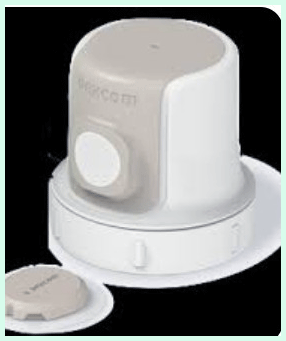
I used the Libre 3 for about 14 months. The thing I loved most was how small and discreet it was.
I could wear short-sleeve shirts without anyone noticing. The 14-day wear time was also great — I only had to think about changing sensors twice a month.
The one-minute updates were surprisingly helpful. When I ate something sugary, I could literally watch the numbers climb every minute — it made me more aware of portion sizes.
The biggest disappointment was the lack of predictive alerts. I had several nights where I woke up at 45 mg/dL because nothing warned me I was dropping.
After the third time I started setting very conservative low alerts (70 mg/dL), but that led to too many unnecessary alarms during the day.
Connectivity was another issue. If I left my phone in the living room while I went to the bedroom, I sometimes lost readings for 30–60 minutes. I learned to keep the phone closer at night.
Skin irritation was mild for me — usually just a pink circle that disappeared a few days after removal. Overall I found Libre 3 very easy to live with, especially when money was tight or when I wanted the least noticeable sensor.
Pros Of Freestyle Libre 3
- Smallest CGM sensor currently available: The Libre 3 is genuinely tiny — about the size of two stacked pennies. I forget it is there most of the time.
- One-minute glucose updates: Once the warm-up is finished, my phone shows a new reading every single minute. I can watch trends change almost in real time.
- No fingersticks for calibration: I just apply the sensor and after 60 minutes it starts giving me numbers. That simplicity feels great.
- Very discreet appearance: The white sensor is small and almost flat. Even with short sleeves people rarely notice it.
- Lower out-of-pocket cost in many countries: Where I live, Libre 3 sensors usually cost noticeably less per month than G7 sensors.
- Easy application process: The applicator is very straightforward — press it against the skin, push the button, and it is done in seconds. I have applied it perfectly on the first try almost every time.
- Good adhesive for most people: When I follow the instructions (clean skin, no lotion), the sensor usually stays on the full 14 days without any edge lifting.
- Works well with iPhone complications: I can see the current number and a small trend arrow directly on my watch face without opening the app.
- No scanning required: Unlike the older Libre models, the Libre 3 sends readings automatically to my phone every minute — no more waving my phone over my arm.
- Very quiet alerts: The vibration and sound are gentle. This is helpful when I am in meetings or sleeping next to my partner.
- Large field of users means many community tips: Because so many people use Libre 3, I can easily find solutions for almost any small issue on forums and social media.
- Reliable in moderate temperatures: I have worn it during summer heat (around 35 °C) and winter cold (down to -5 °C) without major accuracy problems.
- Fast warm-up compared to older Libre models: Only 60 minutes is already much better than the 12-hour warm-up of the very first Libre.
Also read: Comparison of Smart Mouth And Therabreath
Cons Of Freestyle Libre 3
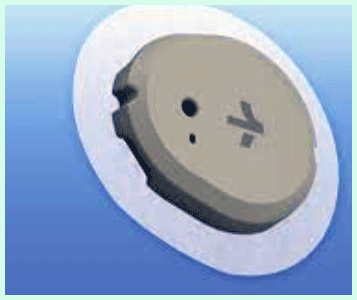
- No predictive low alerts: The system does not warn me before I go low. I only get an alarm when I am already below my threshold.
- Fewer alert customization options: I can set high and low thresholds, but I cannot create different profiles for day/night or exercise.
- Only upper-arm placement: Some people find the back of the arm awkward to reach or more visible in sleeveless clothes.
- Less accurate during rapid glucose changes: In my experience, Libre 3 sometimes lags 10–20 minutes behind my actual blood sugar when I am rising or falling quickly.
- Weaker waterproofing: It is only rated for 3 feet of water for 30 minutes. I have to remove it before long showers, swimming, or water sports.
- App feels basic: The Libre 3 app is clean but lacks advanced trend graphs, statistics, and sharing options compared to Dexcom.
- Occasional connectivity drops: I sometimes lose connection for 30–60 minutes if I walk far away from my phone or if the phone goes into deep sleep mode.
- No direct Apple Watch complication that shows arrows: On iOS I only get the number and color, not the direction arrow like some other systems.
- Shorter range: The Bluetooth range feels shorter than Dexcom. If my phone is in another room, I lose readings more often.
- Less third-party pump integration: While it works with some systems, Dexcom still has more official pump partners.
- Adhesive can irritate sensitive skin: A few times I developed a red circle under the sensor after 10–12 days, especially in hot weather.
- No “urgent low soon” warning: When I am dropping fast toward severe low, Libre 3 only alarms when I am already low.
Maintenance Tips For Freestyle Libre 3
- Clean the skin thoroughly before application: Wash the upper arm with soap and water, then dry completely. Skip alcohol wipes if your skin is dry — they can make adhesion worse.
- Avoid applying lotion or oils for 24 hours before insertion: Even “fragrance-free” creams can weaken the adhesive.
- Press firmly for 10–15 seconds after applying: This helps the adhesive bond properly and reduces early lift-offs.
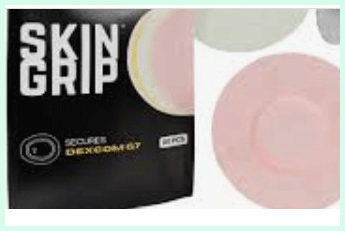
- Apply an over-patch for extra security: I often use Skin Grip, Simpatch, or RockAdhesion patches to keep the sensor on during swimming or heavy sweating.
- Choose the least hairy spot on the back of the arm: Hair can reduce adhesion and make removal painful.
- Remove the sensor slowly and in one direction: Pull parallel to the skin instead of straight up — this reduces skin trauma.
- Use an adhesive remover wipe for stubborn glue: Products like Uni-Solve or Detachol make clean-up much easier and less painful.
- Check the sensor daily around the edges: If you see lifting, apply a small piece of medical tape immediately to prevent water or dirt from getting underneath.
- Store unused sensors at room temperature: Avoid leaving boxes in hot cars or freezing bathrooms — extreme temperatures can damage the electronics.
- Keep the phone app updated: Abbott frequently releases updates that fix connectivity bugs and improve accuracy.
- Restart your phone once a week: This simple habit often solves random Bluetooth dropouts.
- Use a signal booster case if you have connectivity issues: Some people report better range when using a phone case that extends Bluetooth signal.
- Avoid very tight clothing over the sensor: Pressure can cause false compression lows.
- Take photos of the insertion site: If you develop irritation, having before/after pictures helps when talking to your doctor.
My Experience With Dexcom G7
I switched to the G7 about ten months ago and I am still using it.
The predictive “Urgent Low Soon” alert is the single biggest reason I stayed.
I cannot count how many times it woke me up at 3 a.m. when I was heading toward 50 mg/dL.
The 30-minute warm-up is fantastic — I can insert a new sensor in the morning and have numbers before breakfast. The abdomen placement option is also a plus for me; I find it more comfortable and less visible under clothes.
The app feels more modern and gives me better trend graphs. I especially like the ability to create different alert profiles for workdays, weekends, and exercise days.
Downsides? The sensor is bigger and costs more. I also had two sensors fail early (day 7 and day 8), which was frustrating. Adhesive irritation was a bit worse than with Libre 3 — I now always use a barrier spray.
Connectivity is noticeably better. I can leave my phone downstairs while I shower or work in the garden and still get readings on my watch.
Overall I feel safer with the G7, especially at night, but I do miss the tiny size and lower price of the Libre 3.
Pros Of Dexcom G7
- Predictive low alerts: The “Urgent Low Soon” warning (20 minutes ahead) has saved me from several bad lows during sleep.
- 30-minute warm-up: I can insert a new sensor and start seeing numbers half an hour later — much faster than Libre 3.
- Very customizable alerts: I can set different alert schedules for day, night, exercise, or quiet hours. The profiles are really useful.
- Excellent Apple Watch and Wear OS integration: I get the number, trend arrow, and color right on my watch face. It feels like a proper medical device.
- Stronger waterproofing: I can swim, shower, and even go snorkeling without worrying — 8 feet for 24 hours is very practical.
- More placement options: I can wear it on my abdomen, which many people (especially men) find more comfortable and discreet.
- Very accurate during rapid changes: In my personal experience, G7 tracks rising and falling sugars more closely than Libre 3.
- Longer Bluetooth range: I can leave my phone in another room or even downstairs and still get reliable readings.
- More detailed app reports: The Dexcom app gives clearer trend graphs, time-in-range statistics, and pattern insights.
- Louder alarm options: When I need to be woken up, the urgent low alarm is impossible to sleep through.
- Faster sensor startup reliability: Almost every G7 sensor I applied started working correctly within the 30-minute window.
- Better compression lows handling: When I sleep on the sensor, the G7 seems to show fewer false lows compared to Libre 3.
- More third-party integrations: Official support for Tandem t:slim, Omnipod 5, and several other insulin pumps.
Read more: Comparison of 2 Mucinex Fast Max And Mucinex DM
Cons Of Dexcom G7
- Higher monthly cost: Sensors are usually 20–40 % more expensive than Libre 3 (depending on country and insurance).
- Larger sensor footprint: While still small, the G7 is noticeably bigger than Libre 3 and sticks out more under tight clothing.
- Shorter wear time: Only 10 days instead of 14 days means I need to change sensors more often.
- More adhesive irritation for some users: The larger adhesive area sometimes causes stronger skin reactions in sensitive people.
- Occasional early sensor failures: I had two sensors fail around day 7–8 (rare, but more often than with Libre 3).
- App can feel overwhelming: The large number of settings and graphs is great for some people but can be too much for others.
- More visible when wearing short sleeves: The white round patch is bigger and sometimes shows through thinner shirts.
- Louder default alerts: Some people find the urgent alarms too aggressive, even though you can adjust volume.
- Slightly more complicated applicator: The two-button process takes a little more practice than Libre 3’s single push.
- Higher chance of “sensor failed” message: In my experience this happens more frequently than with Libre 3.
- More expensive over-the-counter price: Without insurance, the cash price difference becomes quite noticeable.
Maintenance Tips For Dexcom G7
- Use an alcohol wipe right before insertion: Dexcom recommends cleaning with alcohol to remove oils — I find it helps the adhesive stick better.
- Let the alcohol dry completely: Wait at least 30 seconds so the skin is not damp when you apply the sensor.
- Press the sensor pod firmly for 30 seconds: Especially around the edges — this makes a big difference in how long it stays on.
- Use a strong over-patch from day one: I use 3M Tegaderm, Skin Grip, or Not Just a Patch almost every time to extend wear and protect during sports.
- Avoid inserting on the same spot repeatedly: Rotate sites at least 2–3 inches away from the previous one to prevent scar tissue.
- Remove slowly while supporting the skin: Hold the skin down with one hand and peel the adhesive back slowly with the other hand.
- Use adhesive remover for sticky residue: Dexcom’s own remover or medical-grade products work best.
- Check for edge lifting every morning: Add extra tape early instead of waiting for the sensor to fall off.
- Keep sensors in their original foil pouch until use: This protects them from humidity and temperature swings.
- Turn on “Always Sound” for urgent low alerts if you sleep heavily: This overrides phone silent mode.
- Restart the Dexcom app weekly: It helps clear minor glitches that sometimes stop communication.
- Update the transmitter firmware when prompted: Newer firmware versions often improve range and stability.
- Avoid extreme bending of the insertion site: Activities like heavy weightlifting or crawling can stress the sensor.
- Use a barrier film (Cavilon or similar): If you have sensitive skin, applying a barrier spray before insertion can reduce irritation.
Comparison With Other Brands
Medtronic Guardian Sensor 4: Requires calibration twice daily and has a much shorter 7-day wear time. I find it less accurate than both Libre 3 and G7 during exercise. The separate transmitter is also annoying compared to the all-in-one design of G7 and Libre 3.
Eversense 365 (implantable): Lasts 365 days and has excellent accuracy, but the insertion is a minor surgical procedure done by a doctor. The removable transmitter needs daily charging and the cost is significantly higher. Great for people who hate changing sensors, but not practical for everyone.
Abbott Libre 2: Still requires scanning to get readings (no automatic real-time updates). It is cheaper than Libre 3 but feels outdated now that Libre 3 exists. Alerts only work after you scan.
Senseonics Eversense E3: Similar to Eversense 365 but with a 180-day duration. Still needs a doctor visit for insertion/removal. The on-body transmitter is larger and needs daily charging.
Dexcom G6: Slightly older model, 10-day wear, but requires calibration if you want maximum accuracy. The G7 is smaller, faster warm-up, and more accurate without calibration.
Guardian Connect (standalone): Good predictive alerts but requires calibration and has a separate transmitter. App experience is not as smooth as G7.
Libre Sense (sports version): Only works with certain fitness apps (not full Libre app). Not suitable for diabetes management.
GlucoMen Day (Menarini): Cheaper in some European countries but only 14 days wear with scanning required. Accuracy and app quality lag behind Libre 3 and G7.
Sibionics GS1: Emerging brand with 14-day wear and no calibration. Price is attractive but availability is still limited in many countries and long-term reliability data is scarce.
Both Dexcom G7 and Libre 3 are currently the most popular and well-supported options for people who want calibration-free, real-time CGM without an implanted device.
Frequently Asked Questions (FAQ)
Which continuous glucose monitor is more accurate — FreeStyle Libre 3 or Dexcom G7?
In most head-to-head studies and my own experience, Dexcom G7 is slightly more accurate, especially during rapid changes and in the low range. Libre 3 is still very good for most daily situations.
What are the main differences in features between the Libre 3 and Dexcom G7 (alerts, readings frequency, comfort)?
Libre 3 gives readings every 1 minute but has basic alerts only. Dexcom G7 gives readings every 5 minutes but offers predictive low warnings and more customizable alerts. G7 is more comfortable for many people because of placement options and stronger waterproofing, while Libre 3 wins on size.
How do wear time, warm-up time, and sensor placement compare between the Libre 3 and Dexcom G7?
Libre 3 lasts 14 days with 60-minute warm-up and must go on the upper arm. Dexcom G7 lasts 10 days with 30-minute warm-up and can be worn on the upper arm or abdomen.
Which system is better value for everyday use considering price, app experience, and usability?
If price is the main concern, Libre 3 usually offers better value. If you prioritize safety features (predictive alerts), smartwatch integration, and a more advanced app, Dexcom G7 feels worth the extra cost for many users.
Conclusion: For Both Products
After using both systems for long periods, I can tell you there is no universal “best” choice — it really depends on what matters most to you.
If you want the smallest possible sensor, longer wear time, lower cost, and are okay with basic alerts, I recommend you try the FreeStyle Libre 3. It is simple, discreet, and works well for many people who do not have frequent severe lows.
If safety during sleep and rapid changes is your top priority, and you do not mind changing sensors more often and paying a bit more, I personally lean toward the Dexcom G7. The predictive alerts and better smartwatch experience give me more peace of mind.
Whichever one you choose, I suggest you talk with your doctor and, if possible, try both (many companies offer trial programs). Your daily routine, lifestyle, and insurance coverage will ultimately decide which system feels like the right fit for you.
Libre 3 vs Dexcom G7: Which CGM is better for you in 2025? I share my real-user experience, detailed pros & cons, accuracy comparison, alerts, price, comfort and a clear side-by-side table to help you decide.