
If you are tired of treating your smartphone like a fragile piece of jewelry, the Kyocera DuraForce Pro 3 is the device that will finally let you relax. This phone is not built for the average user who wants to take perfectly aesthetic Instagram photos or play high-end mobile games; it is built for the workforce, the adventurers, and the clumsy.
With its military-grade durability and a feature that has all but vanished from modern tech—a user-removable battery—this phone targets a specific niche with laser focus. While it may not win any beauty contests against the latest iPhone, it offers a level of reliability and utility that fragile glass slabs simply cannot match. If you work in construction, emergency services, or just have a habit of destroying phones, this review will tell you if the DuraForce Pro 3 is the tool you have been waiting for.
My Experience With Kyocera DuraForce Pro 3
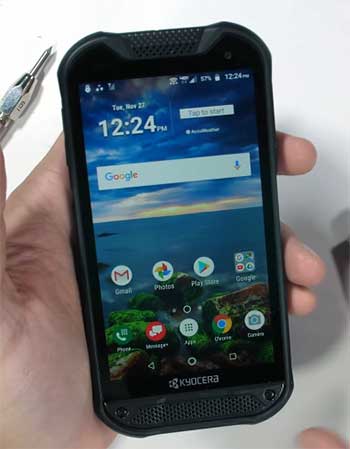
My journey with the Kyocera DuraForce Pro 3 started after I shattered my previous phone screen for the third time in a year.
I was doing some renovation work on my deck, and my expensive flagship device slipped out of my pocket, landing face-down on a screw.
That was the final straw.
I needed something that could survive my lifestyle without needing a case the size of a brick.
When I first unboxed the DuraForce Pro 3, the difference was immediate.
It felt dense, grippy, and unapologetically utilitarian.
It doesn’t feel “premium” in the luxury sense; it feels premium in the way a high-quality power drill does.I took this phone with me on a week-long hiking and camping trip to really test its mettle. The first thing I fell in love with was the programmable buttons. I set the large side button to turn on the flashlight instantly, even when the screen was off.
This sounds minor, but when you are fumbling in a dark tent or trying to look under a car hood, having a physical tactile button for light is a game changer. The Push-to-Talk (PTT) button was also surprisingly useful; although I didn’t use it for corporate dispatch, I mapped it to launch my maps application, which made navigation seamless while wearing gloves.
Speaking of gloves, the “Glove Mode” and “Wet Touch” features actually work. I remember trying to check a weather radar while standing in a drizzle. usually, water droplets on a screen send a phone into a frenzy of phantom touches. The DuraForce Pro 3 remained responsive and accurate. I didn’t have to frantically wipe the screen on my dry shirt just to send a text. This reliability in adverse conditions gave me a sense of confidence I hadn’t felt with a phone in years. I wasn’t babying it. I tossed it onto the camping table, dropped it in the dirt, and rinsed it off in the stream without a second thought.
The removable battery was the highlight of the trip. On day three, when my friends were tethered to portable power banks with tangled cables, I simply popped off the back cover, swapped in a fresh battery, and went from 0% to 100% in ten seconds. It felt like a superpower. The mechanism for the back cover is robust, with a reassuring locking click that lets you know the watertight seal is engaged. It brings back a level of user agency that manufacturers stole from us years ago.
However, I did notice the camera limitations when we reached the summit at sunset. I wanted to capture the vibrant oranges and purples of the sky, but the photos came out looking a bit flat and washed out compared to my friend’s Pixel. It captures the moment, sure, but it doesn’t beautify it. The macro camera was fun for looking at moss and bugs, but the main shooter struggles in low light, introducing noise and graininess.
It reminded me that this is a tool for documentation—taking a picture of a broken pipe or a wiring diagram—not for artistic photography. Despite that, the sheer utility of the device won me over. I realized I was using my phone more as a tool and less as a distraction.
Also Read: My Thought on Sentdream Ai Headphones
Pros Of Kyocera DuraForce Pro 3
- The Return of the Removable Battery: This is arguably the single most compelling reason to buy this phone. In an era where sealed batteries force you to upgrade your phone every two or three years because the battery health has degraded, the DuraForce Pro 3 offers true longevity. If your battery starts holding less charge, you don’t have to pay a service center $100 to pry your phone open; you just buy a new battery for $40 and swap it yourself. This feature is also a lifesaver for field workers who are away from outlets for extended periods. Instead of carrying a heavy, awkward power bank and a charging cable that can snag or break, you can carry a slim spare battery in your pocket. It allows for instant “recharging” in the field, ensuring you are never left without communication during a critical job or emergency. This capability alone makes it superior to almost every flagship on the market for enterprise and heavy-duty use.
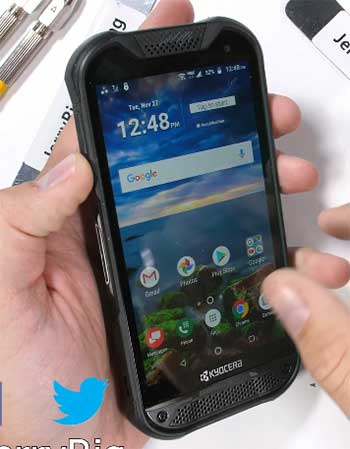
- Unmatched Durability Without a Case: Most people buy a slim, fragile phone and then immediately wrap it in a thick, ugly rubber case to protect it. The DuraForce Pro 3 eliminates this middleman. It is built with an “X-frame” structure, reinforced corners, and non-slip textures integrated directly into the body. It meets MIL-STD-810H standards for drops, shock, vibration, temperature extremes, and more. It is also IP68 rated for dust and water resistance. You can drop this phone on concrete, into a puddle of mud, or leave it on a hot dashboard, and it will keep ticking. The screen is protected by recessed bezels, meaning if the phone lands face down, the glass doesn’t directly hit the ground. This integrated protection means the phone is actually slimmer than a standard iPhone inside an OtterBox Defender, making it surprisingly pocketable for a rugged device.
- Loud and Clear Audio for Noisy Environments: Kyocera understands that its users are often working in environments with heavy machinery, sirens, or wind noise. The DuraForce Pro 3 is equipped with front-facing stereo speakers that can reach volume levels of 100dB+. This is significantly louder than a standard smartphone. Whether you are on a construction site trying to hear a foreman’s call or on a boat with the wind whipping past, you will be able to hear your audio. The phone also features noise-canceling microphones that filter out background clatter, ensuring that the person on the other end of the line can hear you clearly. This focus on audio communication makes it an excellent device for Push-to-Talk (PTT) usage, effectively turning the phone into a modern walkie-talkie for teams.
- Functional Programmable Buttons and Biometrics: The physical design of the phone prioritizes utility over minimalism. It features dedicated, programmable buttons that can be mapped to specific apps or functions. You can set the large red side button to launch the camera, turn on the flashlight, or open a specific work app with a single press, double press, or long press. This allows you to operate the phone by feel, without looking at the screen. Additionally, the fingerprint sensor is embedded in the power button on the side, which is a much more reliable and ergonomic location than the under-display sensors found on many modern phones. It works consistently, even when your fingers are slightly dirty or calloused, which is a common issue for the target demographic of this device.
Cons Of Kyocera DuraForce Pro 3
- Mediocre Camera Performance: If you are coming from a Samsung Galaxy S-series or an iPhone, the camera on the DuraForce Pro 3 will feel like a significant downgrade. While the specs—a 64MP main sensor—sound impressive on paper, the image processing lacks the sophistication of top-tier brands. Photos taken in broad daylight are perfectly acceptable for documentation or general sharing, but as soon as lighting conditions drop, the quality suffers. You will notice grain, noise, and a lack of sharpness in indoor or dusk shots. The shutter speed can also be a bit slow, leading to blurry photos if the subject is moving. The “Super Wide View” action camera mode is a cool idea for capturing job sites, but it introduces a fisheye distortion that might not be desirable for everything. If your primary use for a phone is capturing high-quality family memories or content creation, this camera system will leave you wanting more.
- Limited Software Updates and Bloatware: Kyocera is not known for the rapid-fire software support that Google or Samsung offers. The phone ships with Android 13, and while it will likely receive security patches, you should not expect to be on the cutting edge of Android OS updates. Rugged phones often lag behind in major version updates, meaning you might miss out on new Android features for months or even years. Furthermore, depending on where you buy the device (it is heavily associated with Verizon), it often comes pre-loaded with carrier bloatware—unnecessary apps and games that take up storage space and cannot always be fully uninstalled. This clutter can make the out-of-the-box experience feel less premium and requires some time to clean up and organize.
- Niche Processor and Performance: The DuraForce Pro 3 is powered by the Snapdragon 7 Gen 1 processor. This is a capable mid-range chip, but it is not a flagship powerhouse. For daily tasks like email, navigation, web browsing, and business apps, it is perfectly fast and fluid. However, if you are a power user who likes to edit 4K video on your phone or play graphically intense mobile games like Genshin Impact, you will notice the limitations. The phone can get warm under heavy sustained loads, and you might experience frame drops in high-end games. You are paying a premium price for the physical durability, not for the raw silicon speed. Users expecting flagship-level processing power at this price point will be disappointed by the benchmark scores.
- Bulky Aesthetics and Ergonomics: While it is lighter than older rugged phones, the DuraForce Pro 3 is still a thick, industrial-looking slab. It does not slide easily into skinny jeans or a small suit pocket. The aesthetic is strictly “tactical,” with exposed screws, rubber bumpers, and a utilitarian shape. This design language screams “work phone.” If you are in a professional setting where sleekness is valued, pulling out this tank of a phone might draw some looks. Additionally, the textured back, while great for grip, can trap dirt, drywall dust, or grease in the crevices, making it harder to wipe clean compared to a smooth glass phone. You have to be okay with the fact that your phone looks like a piece of equipment rather than a fashion accessory.
Maintenance Tips For Kyocera DuraForce Pro 3
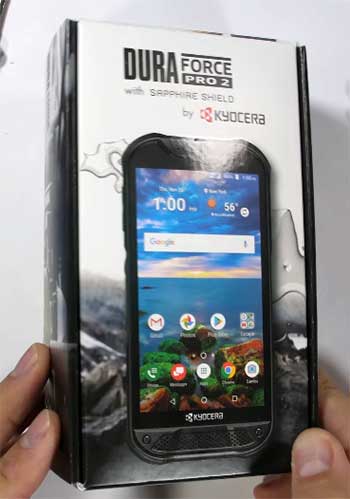
- Inspect and Clean the Seals Regularly: Just because the phone is waterproof (IP68) doesn’t mean you can neglect the seals. The removable back cover relies on a rubber gasket to keep water out. Every time you remove the battery, you expose this gasket to dust, lint, and debris. Before snapping the cover back on, visually inspect the rubber ring. A single strand of hair or a grain of sand crossing the seal can compromise the waterproofing, leading to liquid damage the next time it gets submerged. Wipe the gasket gently with a lint-free cloth if you see any debris. Also, ensure the cover is pressed down firmly at all latch points—listen for the clicks—to guarantee a watertight lock.
- Cleaning the Charging Port and Speakers: Rugged phones often live in pockets filled with sawdust, lint, or metal shavings. The USB-C port and the speaker grilles are magnets for this debris. If you notice your phone isn’t charging consistently or the cable feels loose, use a non-conductive tool like a wooden toothpick or a plastic dental pick to gently fish out the compacted lint from the charging port. Do not use metal objects like paperclips, as they can short out the pins. For the speaker grilles, use a soft-bristled toothbrush to scrub away mud or dust that might be muffling the sound. Since the phone is washable, you can rinse these areas under low-pressure tap water, but ensure the phone is completely dry before plugging in a charger.
- Battery Storage and Care: Since one of the biggest benefits of this phone is the removable battery, you might own a spare. To maximize the life of your spare battery, do not store it at 100% or 0% charge for long periods. If you are keeping a spare in your glovebox or tool bag for emergencies, try to keep it charged to around 50-60%. Lithium-ion batteries degrade faster when kept fully charged in hot environments (like a car in summer). Rotate your batteries periodically—use one for a few weeks, then swap to the other. This ensures both batteries age evenly and you aren’t left with a dead spare when you truly need it.
- Screen Protection is Still Necessary: The DuraForce Pro 3 uses robust glass, but glass is still glass. “Scratch-resistant” does not mean “scratch-proof.” Sand and grit (common on job sites) are harder than glass and will cause micro-scratches over time that weaken the structural integrity of the display. It is highly recommended to install a tempered glass screen protector. It is much cheaper and easier to replace a $10 screen protector than it is to live with a deep scratch or replace the actual display assembly. Because the screen has raised bezels, installing a protector is easy and it sits nicely within the frame, adding an extra sacrificial layer of defense against direct impacts to the face of the phone.
Also Read: My Thought on FleGobey Translator Earbuds
Comparison with Other Brands
Kyocera DuraForce Pro 3 vs. Samsung Galaxy XCover6 Pro
The Samsung Galaxy XCover6 Pro is the most direct competitor to the DuraForce Pro 3. Both phones feature removable batteries, IP68 ratings, and rugged builds. However, the Samsung feels much more like a “normal” smartphone that happens to be tough. It is thinner, lighter, and runs Samsung’s One UI, which is generally more polished and receives faster updates than Kyocera’s software. The XCover6 Pro also has a better camera and a slightly faster processor (Snapdragon 778G). The Kyocera, on the other hand, feels significantly more durable in the hand. It has better corner protection and louder speakers. If you want a phone that bridges the gap between consumer and rugged, go with Samsung. If you want a phone that feels like a pure industrial tool and prioritizes audio volume and grip, Kyocera is the better choice.
Kyocera DuraForce Pro 3 vs. Sonim XP10
Sonim is a brand that caters almost exclusively to first responders and extreme industrial environments. The Sonim XP10 is a beast—it is larger, heavier, and even more rugged than the Kyocera. It has massive buttons designed for thick fire-fighting gloves and an incredibly loud speaker system. However, for the average contractor or outdoor enthusiast, the Sonim is overkill. It is extremely bulky to carry in a pocket and lacks some of the creature comforts of a modern smartphone. The Kyocera strikes a better balance; it is tough enough for 99% of jobs but small enough to live with as a daily driver. The Sonim is strictly for when “failure is not an option” in life-or-death scenarios, whereas the Kyocera is for “I don’t want to break my phone at the job site.”
Kyocera DuraForce Pro 3 vs. iPhone 15 with OtterBox Defender
Many people ask, “Why not just buy an iPhone and put a huge case on it?” The answer lies in heat management and reliability. An iPhone inside a thick OtterBox Defender is well-protected from drops, but it is not designed to dissipate heat through that thick rubber. In hot weather or direct sunlight (common on job sites), an iPhone in a heavy case will dim its screen or shut down to protect itself from overheating much faster than the DuraForce Pro 3, which is designed to handle thermal extremes. Furthermore, the iPhone does not have a removable battery or dedicated PTT buttons. While the iPhone has a vastly superior camera and processor, the Kyocera offers specific utility—wet touch, glove usage, and battery swapping—that a consumer phone in a plastic shell simply cannot emulate.
Frequently Asked Questions (FAQ)
Yes, the DuraForce Pro 3 supports 5G connectivity, including Ultra Wideband (UW) on Verizon’s network. This ensures fast data speeds for downloading blueprints, streaming video, or video conferencing from the field, provided you are in a coverage area.
No, the phone requires the battery to be inserted to function. While some industrial tablets allow “hot-swapping” or running off AC power without a battery, the DuraForce Pro 3 must have a charged battery installed to power on.
Yes, the DuraForce Pro 3 supports Qi wireless charging. This is a great feature for preserving the waterproofing seals, as you don’t have to open the USB-C port cover every night to charge. You can simply drop it on a charging pad.
It is acceptable for casual gaming (Candy Crush, puzzles, lighter 3D games), but it is not a gaming phone. The Snapdragon 7 Gen 1 is a mid-range chip. You can play games like Call of Duty Mobile, but you may need to lower the graphics settings to get a smooth framerate, and the phone may get warm during extended sessions.
Conclusion
The Kyocera DuraForce Pro 3 is a refreshing reminder that smartphones can be tools, not just toys. It rejects the modern trends of glass sandwiches and sealed batteries in favor of practicality, longevity, and sheer toughness. While it makes compromises in camera quality and processing power, it excels in the areas that matter most to its target audience: durability, audio clarity, and battery versatility.
If you are an office worker who wants the latest tech specs, this phone will frustrate you. But if you are a tradesperson, a first responder, or an outdoor adventurer who is tired of anxiety every time your phone slips from your hand, the DuraForce Pro 3 is likely the best investment you can make. It is a workhorse that respects your environment and your wallet by refusing to break.