
I’ve spent years bouncing between internet providers, trying to find one that delivers consistent speeds without breaking the bank or frustrating me with outages. When I had the chance to compare Comcast Xfinity (their cable internet service) and Verizon Fios (pure fiber-optic), I jumped at it. This article shares my real-world take on which one stands out, breaking down key features, everyday performance, and what matters most to someone like you who just wants reliable internet for streaming, working, and gaming.
A Brief Comparison Table Comcast Cable Vs Verizon Fios
| Feature | Comcast Xfinity | Verizon Fios |
| Connection Type | Cable (hybrid fiber-coaxial) | 100% Fiber-optic |
| Max Download Speed | Up to 2,000 Mbps | Up to 2,300 Mbps |
| Upload Speeds | 35–200 Mbps (varies by plan) | Nearly symmetrical (up to 880–2,300 Mbps) |
| Starting Price (300–500 Mbps) | Around $40–$55/mo | Around $49.99/mo |
| Data Caps | 1.2 TB (overages possible) | Unlimited |
| Equipment Rental | Often included in promo | Free router on most plans |
| Availability | Nationwide (36+ states) | Northeast/Mid-Atlantic (9 states + DC) |
| Customer Satisfaction (2025 ACSI) | Around 63–72/100 | Around 76/100 |
| Contracts | Sometimes required for promos | No contracts |
My Experience With Verizon Fios
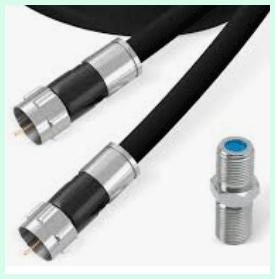
Switching to Fios felt like an upgrade instantly. The 1 Gig plan delivered promised speeds consistently—uploads flew, perfect for my home office and family streaming.
Installation went smooth, though the fee applied. Router setup was intuitive via app, covering my whole house without extras.
Outages? Almost none, even in bad weather. Gaming latency dropped dramatically, and 4K streams buffered zero times.
Bundled perks like free streaming trials added value. Support chats resolved minor questions quickly.
Only gripe: Availability locked me in when moving temporarily. Overall, it spoiled me—cable felt sluggish returning briefly.
Read more: Comparison of Keen And Flair Smart Vents
Pros Of Comcast Cable
- Wide Availability: Comcast reaches far more homes than most providers. If you live outside major East Coast cities, Xfinity often becomes the go-to option without waiting for fiber rollout.
- Variety Of Speed Tiers: Plans range from basic 300 Mbps up to 2 Gbps in select areas. I found it easy to scale up when my household added more devices or started 4K streaming on multiple TVs.
- Bundling Perks: Pairing internet with Xfinity Mobile or TV unlocks solid discounts. Their hotspots nationwide proved handy when I traveled—I connected my laptop seamlessly in cafes or airports.
- Promotional Pricing: Entry-level plans start competitive, especially with unlimited data included now. My bill stayed predictable during the promo period, and equipment came free initially.
- Fast Downloads For Most Users: Cable handles heavy downloading well, like grabbing large game files or backing up photos. In peak hours, speeds held up better than I expected in crowded neighborhoods.
- Low-Income Options: Programs like Internet Essentials offer affordable access for qualifying families, which stands out compared to many providers.
- Reliable In Many Areas: Once I switched to my own modem, outages dropped significantly. Uptime felt solid for everyday tasks, and customer service improved over time.
- These advantages make Comcast a practical choice where options remain limited, keeping things straightforward without overpaying upfront.
Cons Of Comcast Cable
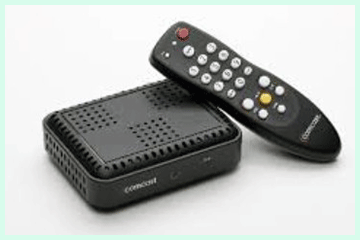
- Slower Upload Speeds: Cable’s asymmetry frustrated me during video calls or uploading files. While downloads flew, uploads crawled compared to fiber—noticeable when sharing large work projects.
- Data Caps And Overage Fees: The 1.2 TB limit hits heavy streamers or gamers fast. I neared it once and faced extra charges, pushing me toward unlimited add-ons that raised the bill.
- Price Hikes After Promos: Rates jumped noticeably after the first year. What started affordable turned pricier, especially with equipment rentals kicking in.
- Customer Service Inconsistencies: Wait times dragged, and reps sometimes pushed unnecessary upsells. Billing disputes took multiple calls to resolve.
- Potential Throttling Or Congestion: In busy areas, speeds dipped during evenings. Neighbors streaming simultaneously slowed things down more than advertised.
- Contracts For Best Deals: Locking in for promos meant early termination fees if I wanted out. Flexibility suffered compared to no-contract options.
- Fewer Symmetrical Benefits: Future-proofing lagged—fiber handles emerging needs like VR or cloud gaming better without upgrades.
Maintenance Tips For Comcast Cable
- Restart Equipment Regularly: Power cycle your modem and router monthly. I unplug everything for 30 seconds—this clears glitches and restores peak speeds without calls.
- Use Your Own Gear: Buy a compatible modem (check Xfinity’s list) to avoid rental fees. Pair it with a quality router for better Wi-Fi coverage and security.
- Monitor Data Usage: Track through the Xfinity app to stay under the cap. Set alerts and optimize by scheduling big downloads overnight.
- Secure Your Network: Change default passwords immediately and enable xFi Advanced Security. It blocks threats automatically, saving headaches from hacks.
- Position Router Centrally: Avoid corners or cabinets—elevate it for better signal. Add xFi Pods if dead zones persist.
- Update Firmware: Let the gateway auto-update, or check manually. Fresh firmware fixes bugs and boosts performance.
- Test Speeds Often: Use Xfinity’s speed test tool. If consistently low, troubleshoot cables or call for line checks.
- Protect From Power Surges: Plug into a surge protector or UPS battery backup. This prevents damage during storms.
Comparison With Other Brands Comcast Cable
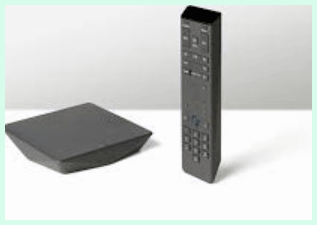
Vs Verizon Fios: Fios wins on reliability and symmetrical speeds, but Comcast covers more ground with potentially lower starting costs.
Vs Spectrum: Both cable-based—Spectrum avoids contracts and caps in many plans, feeling more straightforward, though speeds match closely.
Vs AT&T Fiber: AT&T’s fiber rivals Fios for performance and often undercuts Comcast on price with unlimited data standard.
Vs Google Fiber: Where available, Google crushes with multi-gig speeds and simple pricing, making Comcast feel outdated.
Vs T-Mobile 5G Home: T-Mobile’s wireless option installs easily and costs less, great for renters, but signal varies more than cable.
Vs Cox: Similar cable experience—Cox bundles well but lags in coverage compared to Comcast’s reach.
Vs Optimum: Optimum pushes high speeds affordably, but service quality varies regionally versus Comcast’s consistency.
My Experience With Comcast Cable
I signed up for Xfinity a few years back when moving to an area without fiber options. The 500 Mbps plan handled our family’s streaming and remote work fine at first. Downloads blazed, and setup went quick with self-install.
Peak evening slowdowns annoyed me, though—buffering mid-show despite promises. Uploads dragged during Zoom-heavy days, making file shares painful.
Bundling with mobile saved money, and hotspots helped on trips. But hitting the data cap once added unexpected fees, and post-promo hikes stung.
Switching modems improved stability—no more random reboots. Overall, it served reliably for basics, but I craved fiber’s consistency as demands grew.
Pros Of Verizon Fios
- Symmetrical Speeds: Uploads match downloads closely, transforming video calls, cloud backups, and content creation. I uploaded 4K videos in minutes, not hours.
- Superior Reliability: Fiber resists weather and congestion. Outages became rare—connection stayed rock-solid through storms that knocked out cable before.
- Unlimited Data Standard: No caps or overages. Heavy streaming, gaming, or smart home setups ran freely without watching usage.
- Free Equipment And Perks: Router included, often with extenders on higher plans. Streaming bundles like Disney+ sweetened deals.
- No Contracts: Flexibility to switch without penalties. Price guarantees lasted years, avoiding surprises.
- Excellent Customer Satisfaction: Support resolved issues fast and friendly. Higher ratings reflected in real interactions.
- Low Latency: Gaming and real-time apps felt responsive—no lag in competitive play or VR.
- Future-Proof Technology: Handles emerging tech like 8K or massive IoT without strain.
Cons Of Verizon Fios
- Limited Availability: Only Northeast and Mid-Atlantic regions. Many miss out, forcing cable or wireless alternatives.
- Higher Starting Prices In Some Areas: Gigabit plans cost more upfront than cable promos, though value shines long-term.
- Installation Fees: $99 setup unless waived—professional tech required for fiber wiring.
- Slower Expansion: Rollout lags behind cable giants, leaving rural or Western users waiting.
- Fewer Bundling Options: Less mobile integration than Comcast, potentially missing discounts.
- Occasional Promo Requirements: Best deals need autopay or bundles, adding minor hassle.
- Equipment Limitations: Must use their router for full features, limiting custom setups somewhat.
- Regional Variability: Speeds and pricing differ by market, not as uniform nationwide.
Maintenance Tips For Verizon Fios
- Keep ONT Clean And Ventilated: Dust the Optical Network Terminal yearly—good airflow prevents overheating.
- Restart Router Periodically: Unplug for 10 seconds monthly to refresh connection and clear cache.
- Optimize Wi-Fi Channels: Use the Fios app to scan and switch channels, reducing interference from neighbors.
- Secure Fiber Cables: Avoid bending or pinching lines—route safely during moves or cleaning.
- Update App And Firmware: Enable auto-updates for router; app notifications keep everything current.
- Test Speeds Regularly: Run built-in tests—if off, check internal wiring before calling.
- Use Ethernet For Critical Devices: Hardwire gaming PCs or work stations for max stability.
- Monitor For Damage: Inspect outdoor lines after weather; report issues promptly.
Comparison With Other Brands Verizon Fios
Vs Comcast Xfinity: Fios excels in speed symmetry and reliability, while Xfinity wins availability and initial pricing.
Vs AT&T Fiber: Close match—both top-tier fiber, but AT&T covers more Southern/Western areas.
Vs Google Fiber: Google edges on multi-gig pricing where available, but Fios reaches more homes currently.
Vs Spectrum: Fios crushes on performance; Spectrum competes on no-contract ease.
Vs Frontier Fiber: Similar fiber quality—Verizon often leads in satisfaction post-acquisitions.
Vs T-Mobile 5G: Fios more consistent; T-Mobile cheaper and easier setup wirelessly.
Vs Optimum: Fios superior tech over Optimum’s cable in overlapping areas.
Fios sets the fiber standard against most rivals.
Also read: Comparison of Galaxy Buds 2 Pro And Buds 3 Pro
Frequently Asked Questions (FAQ)
No, Verizon doesn’t offer traditional cable internet—its Fios is fiber, generally outperforming Comcast’s cable in speed, reliability, and uploads.
Yes, Fios’s fiber provides faster, more symmetrical speeds, better reliability, and unlimited data compared to most cable services.
Fiber options like Verizon Fios, AT&T Fiber, or Google Fiber often surpass Comcast in performance and satisfaction where available.
Conclusion: For Comcast Cable And Verizon Fios
I’ve used both, and you deserve the full picture. Comcast Xfinity works well if availability limits choices or budget drives decisions—it delivers solid speeds widely with handy extras. But Verizon Fios transformed my online life with unmatched consistency and power. If fiber reaches you, go for it; the difference feels real daily. Whichever you pick, match it to your needs—you’ll enjoy smoother streaming, work, and play either way. What matters most to you in a provider?